For the complete documentation index, see llms.txt. This page is also available as Markdown.

Catalog of services

How Onyxia catalogs map to Helm repositories and how to customize them.

Onyxia ships with a set of official service catalogs.

If you don’t configure anything, these are the defaults:

As an instance admin, you can heavily customize what users see and can do:

  • Change defaults for a service (resources, images, features).

  • Apply different policies per user group (example: who can request H100).

  • Fork our catalogs or build your own.

  • Turn any Helm-deployable software into a service.

Example: Doom launched as an Onyxia service.

Mental model: Onyxia is a UI for Helm

If you already know Helm, most of this will feel familiar.

Helm concepts (baseline)

  • A Helm repository is a collection of Helm charts.

  • A Helm chart is a recipe to deploy software on Kubernetes.

  • Charts expose configuration via values.

Defaults live in values.yaml.

Example: values.yaml (jupyter-python).

When installing a chart, you can override any default value.

Charts can also ship a values.schema.json.

This JSON Schema describes:

  • which options exist

  • the expected types / formats

  • constraints (min/max, enums, patterns, …)

Example: values.schema.json (jupyter-python).

How Onyxia uses Helm to build the UX

You configure which Helm repositories Onyxia should load as catalogs.

If you don’t configure catalogs, Onyxia loads the defaults from catalogs.json.

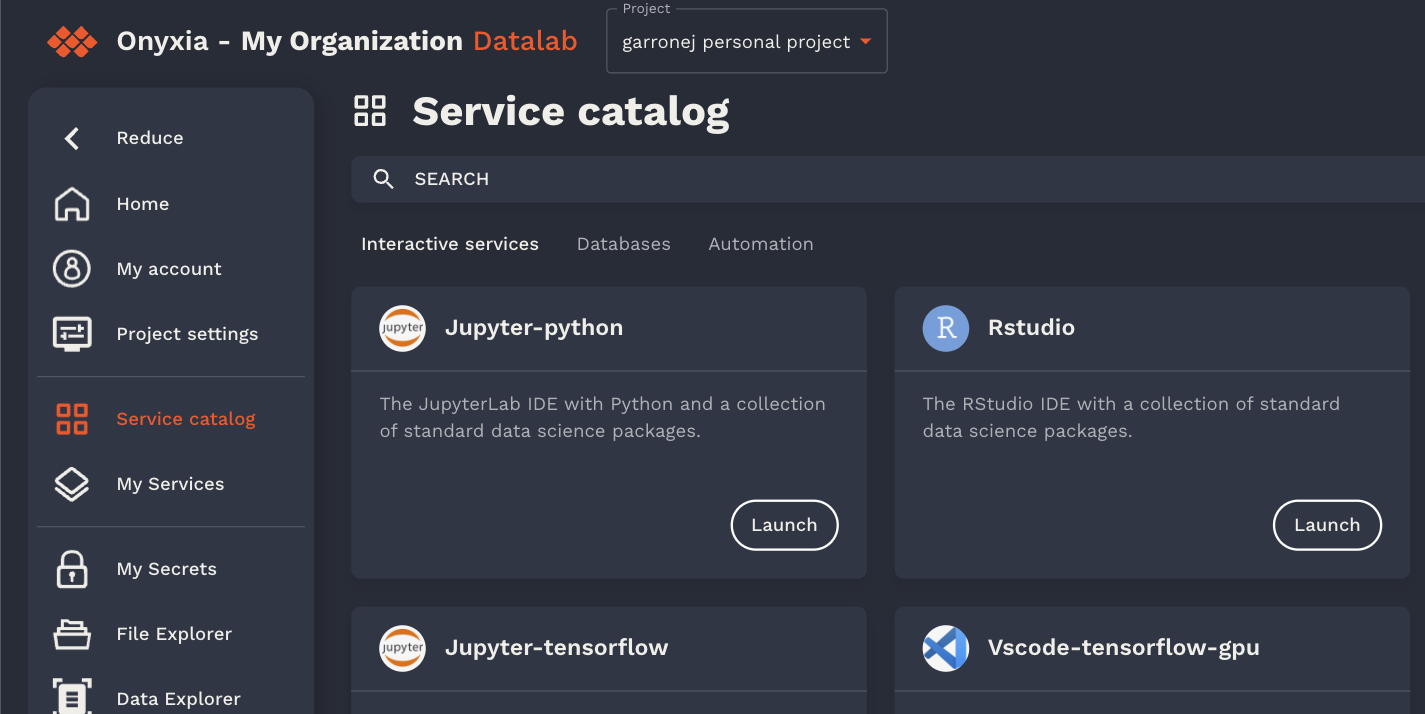
On the “Service catalog” page:

  • Each Helm repo becomes a tab (Interactive services, Databases, Automation, …).

  • Each chart becomes a service card (Jupyter, RStudio, …).

When a user opens a service:

  • Onyxia reads the chart’s values.schema.json.

  • It renders a form from the schema.

  • It generates a final values object that Helm will apply.

Onyxia can also inject user-specific defaults. For example, it can prefill S3 credentials:

Customizing the catalog

You have two main customization paths:

Instance-level overrides (recommended for most setups)

Bring your own catalogs (or a fork of ours)

Last updated

Was this helpful?