arrow-left

Only this pageAll pages
gitbookPowered by GitBook
1 of 29

v9

Admin doc

Loading...

Loading...

Loading...

Loading...

Loading...

Loading...

Loading...

Loading...

Loading...

Loading...

Loading...

Loading...

Loading...

Loading...

Loading...

Loading...

Loading...

Contributors doc

Loading...

Loading...

Loading...

Loading...

Loading...

user doc

Loading...

Loading...

Loading...

Loading...

Install

Convinced by Onyxia? Let's see how you can get your own instance today!

circle-info

hashtag
Oneliner

If you are already familiar with Kubernetes and Helm, here's how you can get an Onyxia instance up and running in just a matter of seconds.

helm repo add onyxia https://inseefrlab.github.io/onyxia

cat << EOF > ./onyxia-values.yaml
ingress:
  enabled: true
  hosts:
    - host: onyxia.my-domain.net
EOF

helm install onyxia onyxia/onyxia -f onyxia-values.yaml

# Navigate to https://onyxia.my-domain.net

With this minimal configuration, you'll have an Onyxia instance operating in a degraded mode, which lacks features such as authentication, S3 explorer, secret management, etc. However, you will still retain the capability to launch services from the catalog.

Whether you are a Kubernetes veteran or a beginner with cloud technologies, this guide aims to guide you through the instantiation and configuration of an Onyxia instance with it's full range of features enabled. Let's dive right in! 🤿

First let's make sure we have a suitable deployment environement to work with!

🛳️Kuberneteschevron-right

Security consideration

Information about security considerations

hashtag
1. Autolaunch Feature

The autolaunch feature empowers you to create HTTP links that automatically deploy an environment. This is an invaluable tool for initiating trainings effortlessly. However, exercise caution while using it as it could pose a security risk to the user. Consider disabling this feature if it doesn't suit your requirements or if security is a primary concern.

Disable Autolauncharrow-up-right

hashtag
2. Group Feature

Onyxia is primarily designed to allocate resources such as a namespace and an S3 bucket to an individual user for work purposes. Additionally, it incorporates a feature that allows multiple users to share access to the same resources within a project. While this can be extremely beneficial for collaboration, be aware that it might be exploited by a malicious user within the group to leverage the privileges of another project member. Always monitor shared resources and maintain proper user access control to prevent such security breaches.

Migration guides

v5 -> v6

The only breaking change in this release is the split of Onyxia service account into two separate service accounts : one for the API (which usually requires high permission to deploy services) and one for the WEB pod (qui usually should not have any permissions tied to it). Due to this change, the global serviceAccount values key was duplicated in both web.serviceAccount and api.serviceAccount. See:

and

Example of change :

onyxia-values.yaml
onyxia:
-  serviceAccount:
-    create: true
-    clusterAdmin: true
   api:
+    serviceAccount:
+      create: true
+      clusterAdmin: true
   web:
+    serviceAccount:
+      create: true 

Data (S3)

Enable S3 storage via MinIO S3

Onyxia uses AWS Security Token Service APIarrow-up-right to obtain S3 tokens on behalf of your users. We support any S3 storage compatible with this API. In this context, we are using MinIOarrow-up-right, which is compatible with the Amazon S3 storage service and we demonstrate how to integrate it with Keycloak.

hashtag
Creating the 'minio' Keycloak client

Before configuring MinIO, let's create a new Keycloak client (from the previous existing "datalab" realm).

hashtag
Deploying MinIO

Before deploying MinIO on the cluster let's set, in the MinIO configuration file, the OIDC client secret we have copied in the previous step.

Once you've done that you can deploy MinIO!

hashtag
Creating the 'onyxia-minio' Keycloak client

Before configuring the onyxia region to create tokens we should go back to Keycloak and create a new client to enable onyxia-web to request token for MinIO. This client is a little bit more complex than other if you want to manage durations (here 7 days) and this client should have a claim name policy and with a value of stsonly according to our last deployment of MinIO.

hashtag
Updating the Onyxia configuration

Now let's update our Onyxia configuration to let it know that there is now a S3 server available on the cluster.

Diff of the changes applied to the Onyxia configuration:

Congratulation, all the S3 related features of Onyxia are now enabled in your instance! Now if you navigate to your Onyxia instance you should have My Files in the left menu.

Next step in the installation process is to setup Vault to provide a way to your user so store secret and also to provide something that Onyxia can use as a persistance layer for user configurations.

Vault

Let's use hashicorp Vault for storing the user secrets.

circle-info

Vault is also used by Onyxia as the persistance layer for all saved configuration. If you don't have a vault all user settings are stored in the local storage.

Onyxia-web use vault as a storage for two kinds of secrets : 1. secrets or information generate by Onyxia to store differents values (ui preferences for example) 2. user secrets Vault must be configured with JWT or OIDC authentification methods.

As vault needs to be initialized with a master key, it can't be directly configured with all parameters such as oidc or access policies and roles. So first step we create a vault with dev mode (do not use this in production and do your initialization with any of the recommanded configuration : shamir, gcp, another vault)

helm repo add hashicorp https://helm.releases.hashicorp.com
 
DOMAIN=my-domain.net

cat << EOF > ./vault-values.yaml
server:
  dev:
    enabled: true
    # Set VAULT_DEV_ROOT_TOKEN_ID value
    devRootToken: "root"
  ingress:
    enabled: true
    annotations:
      kubernetes.io/ingress.class: nginx
    hosts:
      - host: "vault.lab.$DOMAIN"
    tls:
      - hosts:
          - vault.lab.$DOMAIN
EOF

helm install vault hashicorp/vault -f vault-values.yaml

Create a client called "vault"

  1. Root URL: https://vault.lab.my-domain.net/

  2. Valid redirect URIs: https://vault.lab.my-domain.net/*

  3. Web origins: *

TODO;

v7 -> v8

circle-info

You can now have comments, trailing comas and single quotes in your region and catalog parameters! See the PRarrow-up-right.

In this release, the Onyxia S3 integration has been completely revamped!

This is the DIFF you have to apply to your Onyxia configuration assuming you have a typical MinIO integration configured:

onyxia-values.yaml
 ...
 api:
   ...
   regions:
     [
       {
         ...
         "data": {
           "S3": {
-            "type": "minio",
             "URL": "https://minio.lab.my-domain.net",
             "region": "us-east-1",
-            "bucketClaim": "preferred_username",
-            "defaultDurationSeconds": 86400,
-            "oidcConfiguration": {
-              "clientID": "onyxia-minio"
-            },
+            "sts": {
+              "durationSeconds": 86400,
+              "oidcConfiguration": {
+                "clientID": "onyxia-minio"
+              }
+            },
-            "bucketPrefix": "user-",
-            "groupBucketPrefix": "projet-",
+            "workingDirectory": {
+              "bucketMode": "multi",
+              "bucketNamePrefix": "user-",
+              "bucketNamePrefixGroup": "projet-"
+            }
           },
           ...

Roadmap

Onyxia Project Core Team Future Developments Roadmap

Want to know what we are up to?

Checkup our Milestones on GitHub:

Do not hesitate to vote or comment on the issues that are the most important to you. We prioritarize our work based on comunity feedback!

Or you can ask us on Slack, we're very prompt to respond!

v4 -> v5

The primary breaking change in this release pertains to Keycloak configuration. With this update, you're no longer limited to using Keycloak; any OIDC-compliant identity provider is now supported. To accommodate this new feature, you'll need to make some adjustments to the configuration of your Onyxia instance.

circle-info

You don't need to specify the issuerURI in multiple locations as we have done here. If you're using just one identity server (You have only one Keycloak server for example), you can set the issuerURI solely in api->env->oidc.issuer-uri.

The Web Application

The TypeScript App that runs in the browser.

This is the documentation for .

You have a video here where we guide you through the setup of the dev environnement:

Datascience Trainings and Tutorials

The Onyxia team maintain a catalog of training and tutorials with several practical exercices that can be performed on an Onyxia instance!

circle-info

By default the when you open the trainings will be open on https://datalab.sspcloud.fr (our onyxia instance) but if you don't have a Datalab acount you can edit the urls of the practical exercises so you can run them on the instance you have access to.

Community resources

You can find extra information on how to use Onyxia as a datascientist by checking out the community website of the french statistician workforce. It's in french though.

Want to share something you've done with Onyxia? You can click on "edit this page on GitHub" and submit a pull request!

Setting up your dev environment in Onyxia

In this video, we guide you through setting up your development environment in Onyxia. We demonstrate how to automatically clone your Git repository, install any missing dependencies, and open a port for your development server.

You can also find initialization scripts of interactive services .

circle-info

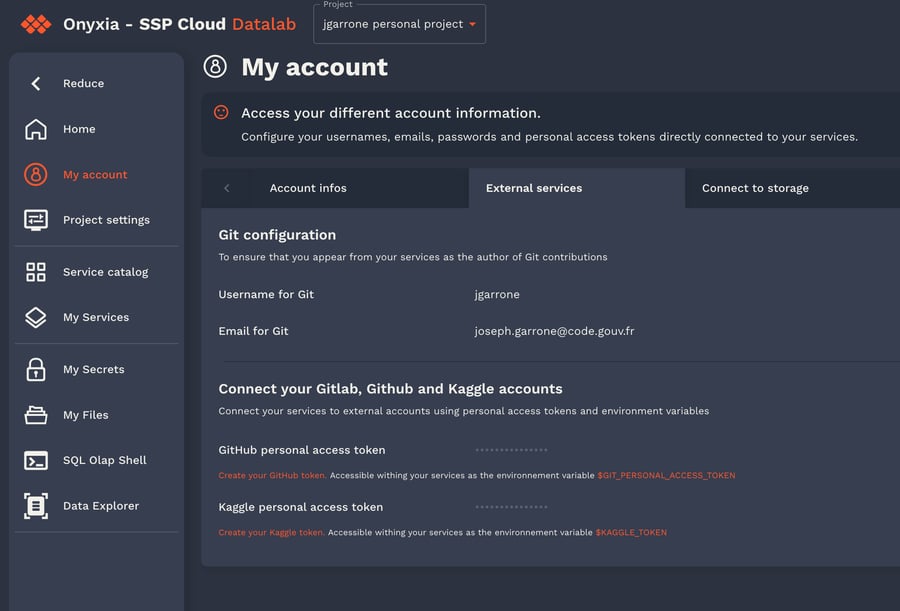
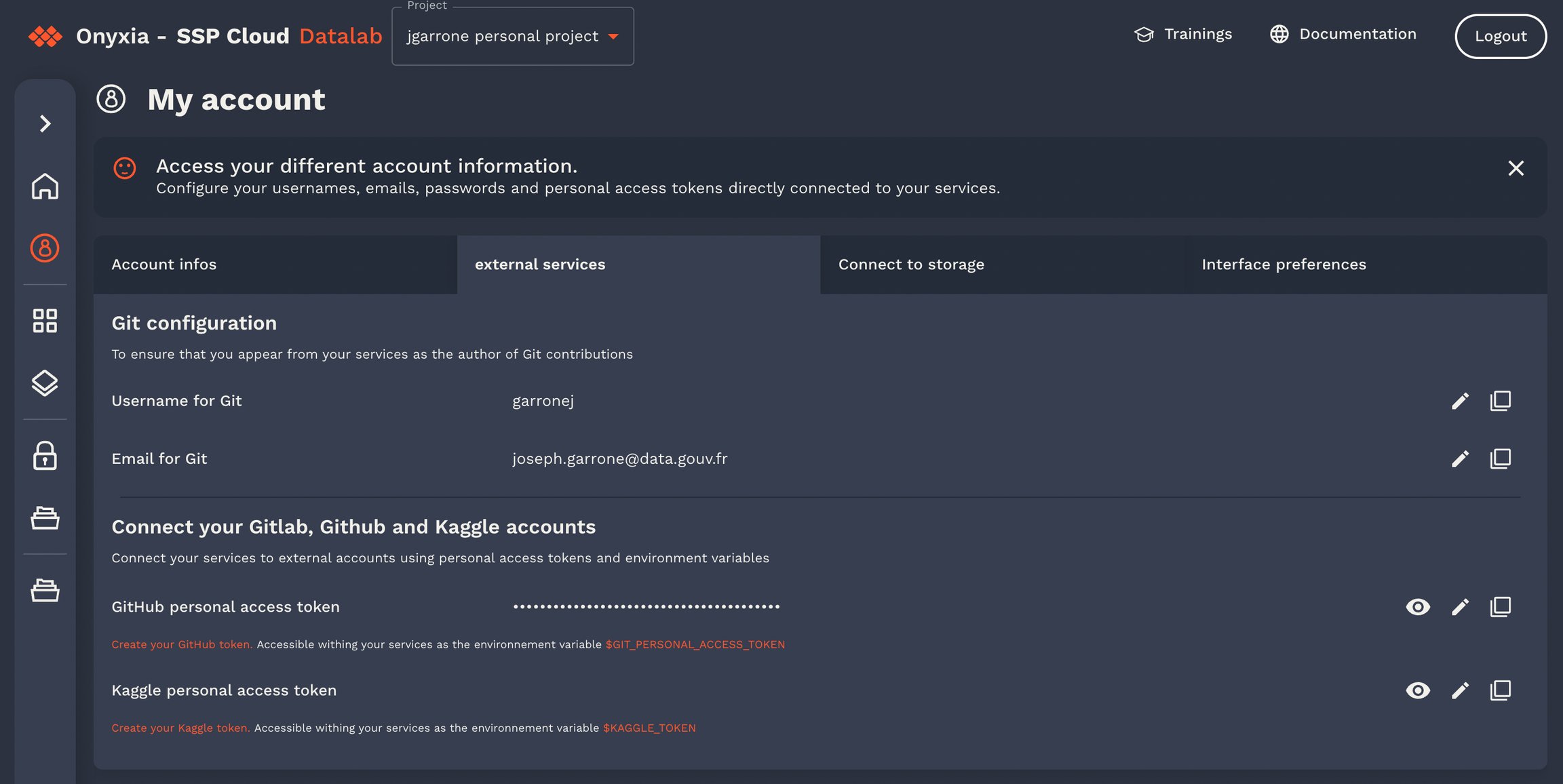
I forgot to show in the video that you can setup your GitHub/GitLab username and token in My Account -> External services.

This will enable Onyxia to clone private repos!

helm upgrade onyxia inseefrlab/onyxia -f onyxia-values.yaml
Refer to the legacy documentation.arrow-up-right
onyxia-values.yaml
onyxia:
   web:
     env:
-      KEYCLOAK_URL: https://auth.lab.sspcloud.fr/auth
-      KEYCLOAK_REALM: sspcloud
   api:
     env:
-      keycloak.resource: onyxia
-      keycloak.realm: sspcloud
-      keycloak.auth-server-url: https://auth.lab.sspcloud.fr/auth
-      keycloak.ssl-required: external
-      keycloak.public-client: "true"
-      keycloak.enable-basic-auth: "true"
-      keycloak.bearer-only: "true"
+      oidc.issuer-uri: "https://auth.lab.sspcloud.fr/auth/realms/sspcloud"
+      oidc.clientID: "onyxia"
+      oidc.audience: "onyxia"
       authentication.mode: "openidconnect"
     regions: 
       [
         {
           "id": "paris",
           "services": {
-              "authenticationMode": "admin",
+              "authenticationMode": "serviceAccount",
               "k8sPublicEndpoint": {
                 "URL": "https://apiserver.kub.sspcloud.fr",
-                "keycloakParams": {
-                  "URL": "https://auth.lab.sspcloud.fr/auth",
-                  "realm": "sspcloud",
-                  "clientId": "onyxia"
-                },
+                "oidcConfiguration": {
+                  "issuerURI": "https://auth.lab.sspcloud.fr/auth/realms/sspcloud",
+                  "clientID": "onyxia-k8s-apiserver",
+                }
               }
             },
           "data": {
             "S3": {
-              "keycloakParams": {
-                "URL": "https://auth.lab.sspcloud.fr/auth",
-                "realm": "sspcloud",
-                "clientId": "onyxia-minio",
-              }
+              "oidcConfiguration": {
+                "issuerURI": "https://auth.lab.sspcloud.fr/auth/realms/sspcloud",
+                "clientID": "onyxia-minio",
+              }
             }
          },
          "vault": {
              "URL": "https://vault.lab.sspcloud.fr",
-             "keycloakParams": {
-               "URL": "https://auth.lab.sspcloud.fr/auth",
-               "realm": "sspcloud",
-               "clientId": "onyxia-vault",
-             }
+             "oidcConfiguration": {
+               "issuerURI": "https://auth.lab.sspcloud.fr/auth/realms/sspcloud",
+               "clientID": "onyxia-vault"
+             }
         }
       }
     ]

herearrow-up-right
🔓Vaultchevron-right
git clone https://github.com/InseeFrLab/onyxia
cd onyxia/web

yarn install

# To start the app locally
yarn dev

# If you want to test against your own Onyxia instance edit the .env.local.yaml
# file (created automatically the first time you run `yarn dev`)
InseeFrLab/onyxia -> web/arrow-up-right

v8 -> v9

circle-exclamation

tl;dr: Breaking change, defaultConfiguration in region configuration is not allowed anymore and has been replaced by JSONSchemas override using the new api.schemas key from v9 helm chart.

Onyxia v9 allows administrators to define custom JSON schemas, allowing them to override the default schemas provided by the chart. Prior to this change, Onyxia relied on providing default values for specific keys in the region configuration : defaultConfiguration.

Chart owners can now define which properties can be overridden using a JSON Schema.

Here is an example of a Chart that supports JSONSchemas (taken from the default IDE catalog, see ) :

The overwriteDefaultWith attribute was the old method for overriding, instructing Onyxia to use the "defaultConfiguration" from the Region. This method is no longer supported in v9, though it can still be used for catalog compatibility with v8.

In v9, overwriteDefaultWith has been replaced by overwriteSchemaWith, which offers more flexibility due to the capabilities of JSON Schemas. Default schemas are bundled with Onyxia-API and will be used if no override is provided. You can find these default schemas here: .

To override a schema, use the new schemas key from the v9 Helm chart and provide the list of schemas you want to override. For more details, refer to the documentation: .

circle-exclamation

Onyxia v9 will fail to start with error message :

FATAL : Setting defaultConfiguration in region is no longer supported and has been replaced by JSONSchema support. See migration guide at https://docs.onyxia.sh/admin-doc/migration-guides/v8-greater-than-v9

if you don't remove the defaultConfiguration from the region configuration.

The REST API

The backend REST API in Java

This is the documentation for InseeFrLab/onyxia -> api/arrow-up-right.

It's the part of the App that runs in the clusters. It handles the things that can't be done directly from the frontend.

GitOps

Let's install ArgoCD to manage and monitor our Onyxia Datalab deployment!

circle-info

At this stage of this installation process we assumes that:

  • You have a Kubernetes cluster and kubectl configured

git clone https://github.com/<your-github-org>/onyxia-ops
cd onyxia-ops
cd apps/minio
# In the values.yaml file replace `$KEYCLOAK_MINIO_CLIENT_SECRET` by the value
# you have copied in the previous step.
git commit -am "Set minio OIDC client secret"
git push
git clone https://github.com/<your-github-org>/onyxia-ops
cd onyxia-ops
cd apps/onyxia
mv values-minio-enabled.yaml.yaml values.yaml
git commit -am "Enable MinIO"
git push
this linkarrow-up-right
Onyxia-API Schemasarrow-up-right
Onyxia v9 Catalogarrow-up-right
values.schema.json
"nodeSelector": {
      "type": "object",
      "description": "NodeSelector",
      "default": {},
      "x-onyxia": {
          "hidden": false,
          "overwriteDefaultWith": "region.nodeSelector",
          "overwriteSchemaWith": "nodeSelector.json"
      }
    }

datalab.my-domain.net and *.lab.my-domain.net's DNS are pointing to your cluster's external address. my-domain.net being a domain that you own.

  • Your ingress-nginx is set up with a default TLS certificate that covers both datalab.my-domain.net and *.lab.my-domain.net, processing all ingress objects, even those that do not have a class specified.

  • We can proceed with manually installing various services via Helm to set up the datalab. However, it's more convenient and reproducible to maintain a Git repository that outlines the required services that we need for our datalab, allowing ArgoCDarrow-up-right to handle the deployment for us.

    To clarify, using ArgoCD is merely an approach that we recommend, but it is by no means a requirement. Feel free to manually helm install the different services using the values.yaml from InseeFrLab/onyxia-opsarrow-up-right!

    Let's install ArgoCD on the our cluster.

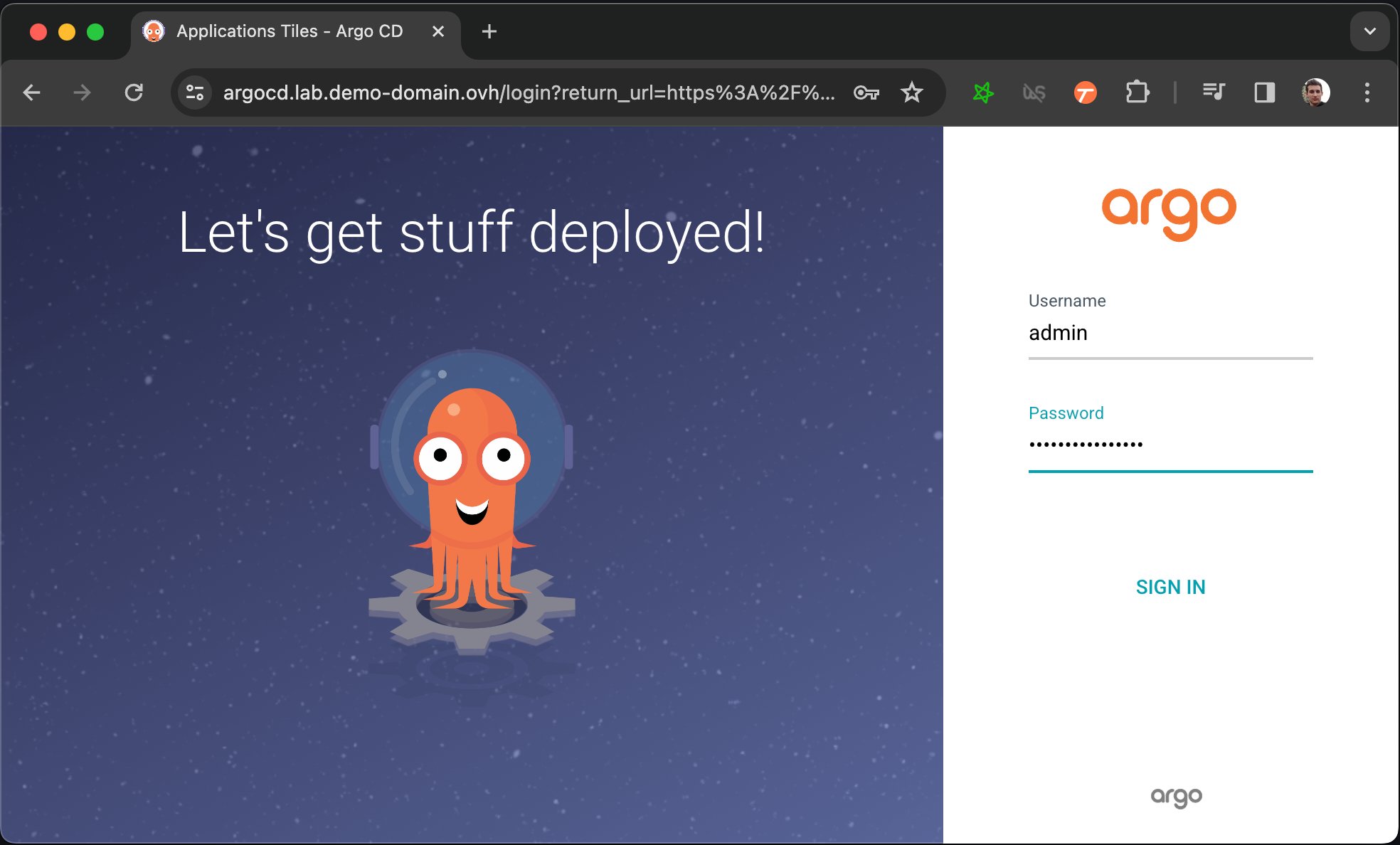
    Now you have to get the password that have been automatically generated to protect ArgoCD's admin console. Allow some time for ArgoCD to strart, you can follow the progress by running kubectl get pods and making sure that all pod are ready 1/1. After that running this command will print the password:

    You can now login to https://argocd.lab.my-domain.net using:

    • username: admin

    • password: <the output of the previous command (without the % at the end)>

    Now that we have an ArgoCD we want to connect it to a Git repository that will describe what services we want to be running on our cluster.

    Let's fork the onyxia-ops GitHub repo and use it to deploy an Onyxia instance!

    circle-info

    Note that in this guide, we use GitHub, but feel free to fork the InseeFrLab/onyxia-opsarrow-up-right repository on GitLab or any other forge. You'll need to slightly adapt the instructions, but you should be able to follow along!

    At this point you should have a very bare bone Onyxia instance that you can use to launch services.

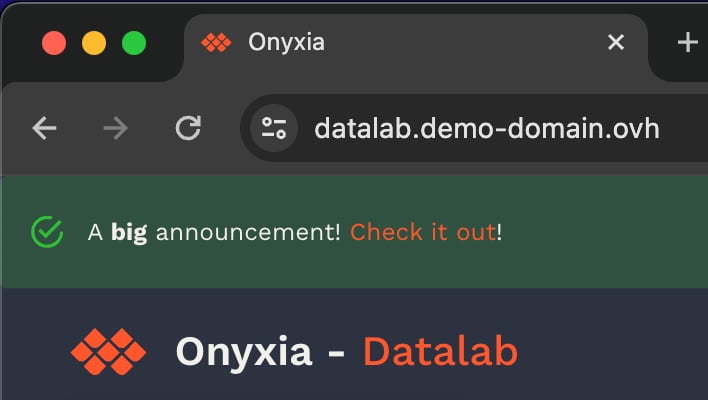
    What's great, is that now, if you want to update the configuration of your Onyxia instance you only have to commit the change to your GitOps repo, ArgoCD will takes charge of restarting the service for you with the new configuration. To put that to the test try to modify your Onyxia configuration by setting up a global alert that will be shown as a banner to all users!

    After a few seconds, if you reload https://datalab.my-domain.net you should see the message!

    Next step is to see how to enable your user to authenticate themselvs to your datalab!

    🔑User authenticationchevron-right

    Setting up group projects

    Enabling a group of users to share the same Kubernetes namespace to work on something together.

    The user interface of onyxia enables to create projects for groups of Onyxia users.

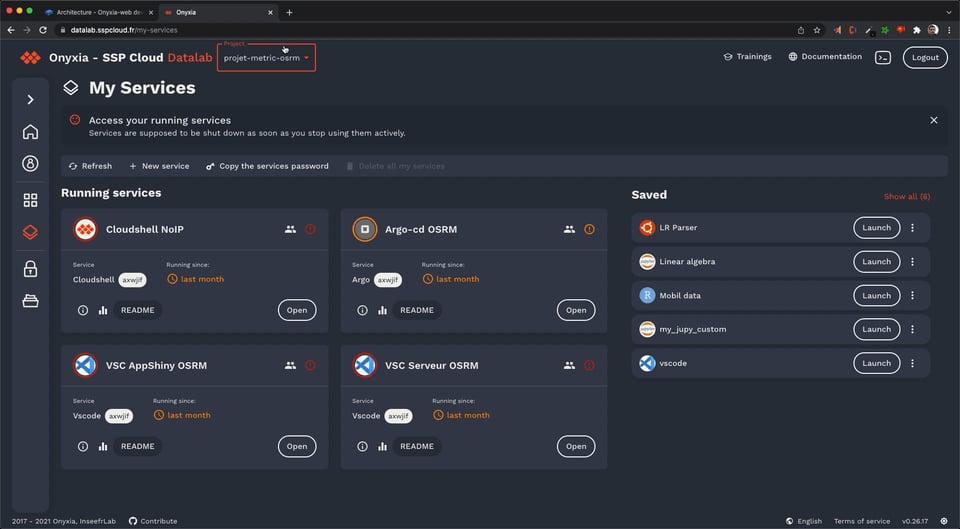
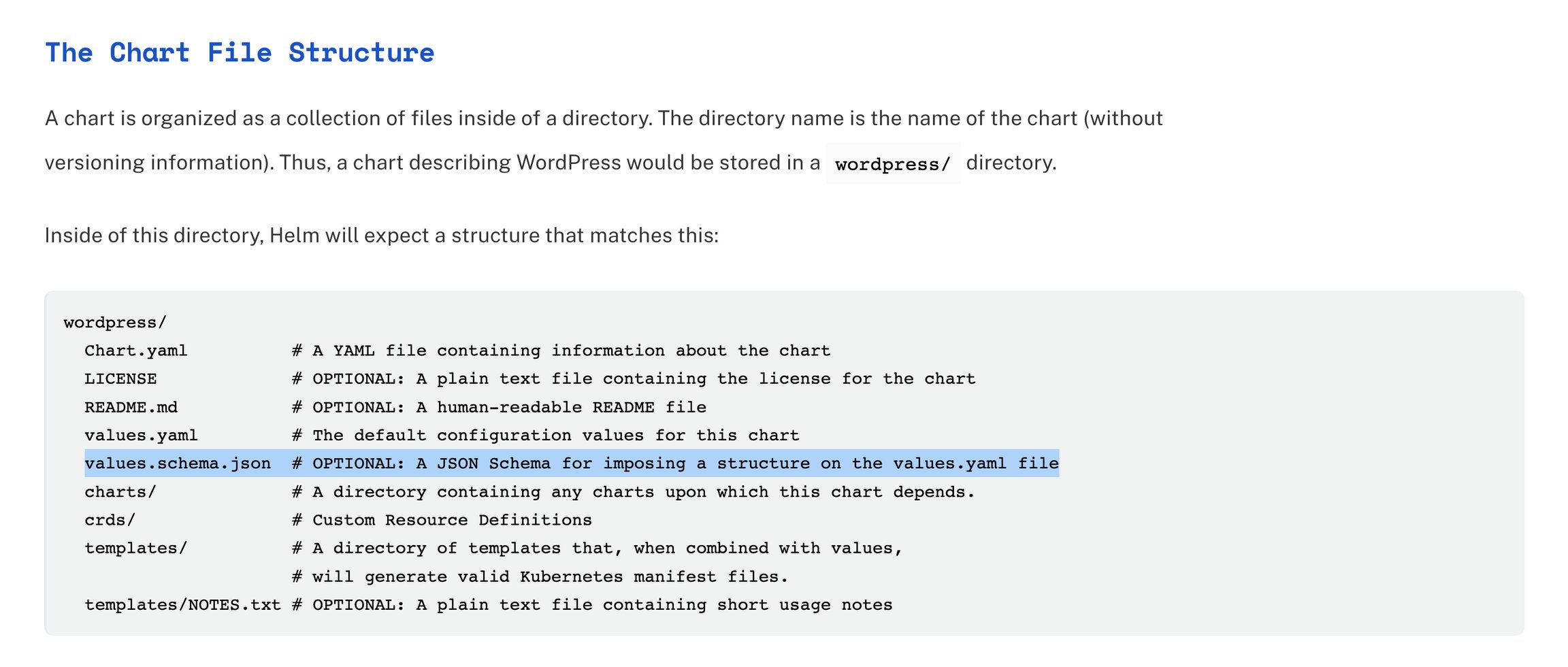
    Users will be able to dynamically switch from one project to another using a select input in the header.

    This select doesn't appear when the user isn't in any group project.

    All users of a group project share:

    • The Kubernetes namespace, in "My Services" you can see everything that's running, including services launched by other person of the group.

    • Project settings. If a user change a project setting, it affects every member of the group.

    • Secrets

    • S3 Bucket (or an S3 subpath)

    As of today, new group can only be created by Onyxia instance administrator, on demand and the procedure to create group is not publicly documented yet because we're still actively working on it. However, if you want to enable this feature for your users, reach us, we will guide you through it!

    v6 -> v7

    In this major version a lot of the parameters of the webapp have been updated/refined. Here is the changes you need to apply to your values.json to migrate smoothly.

    hashtag
    The THEME_ID parameter has been removed.

    Onyxia is now fully customizable instead of just letting you pick within a handful of predefined themes.

    Theme and branding

    Customize your Onyxia instance with your assets and your colors, make it your own!

    The full documentation of the available parameter can be found here:

    Note that your custom assets are imported into your Onyxia instance via the use of the CUSTOM_RESOURCES parameter, url of a ZIP archive that should contain your assets. An example is given at the top of the file.

    circle-info

    Onyxia is configured to make the the browser cache assets so they are not re-downloaded each time the user access the app.

    Getting started with Onyxia

    Using Onyxia (as a data scientist)

    circle-check

    See also

    It's the Onyxia user guide dedicated to our staff.

    There are 3 main components accessible on the onyxia web interface :

    Migrating to the new helm repo

    Previously, the Helm chart of Onyxia was hosted on the inseefrlab/helm-charts repo and has now been moved to inseefrlab/onyxia. As a result you would now install Onyxia like this:

    In the following we assume the current version of Onyxia is 4.1.4 but you are encorging to use the latest version instead. .

    If you use ArgoCD for deploying onyxia:

    You no longer need to manually manage the version of and , now, if you want to update Onyxia, you just update the chart version number.

    For the Keycloak theme, the version is now synchronized with the Onyxia version.

    DOMAIN=my-domain.net
    
    cat << EOF > ./argocd-values.yaml
    server:
      extraArgs:
        - --insecure
      ingress:
        #ingressClassName: nginx
        enabled: true
        hostname: argocd.lab.$DOMAIN
        extraTls:
          - hosts:
              - argocd.lab.$DOMAIN
    EOF
    
    helm install argocd argo-cd \
      --repo https://argoproj.github.io/argo-helm \
      --version 6.0.9 \
      -f ./argocd-values.yaml
    kubectl get secret argocd-initial-admin-secret \
      -o jsonpath="{.data.password}" | base64 -d
    apps/onyxia/values.yaml
     onyxia:
       ingress:
         enabled: true
         hosts:
           - host: datalab.demo-domain.ovh
       web:
         env:
    +      GLOBAL_ALERT: |
    +       {
    +         severity: "success",
    +         message: {
    +           en: "A **big** announcement! [Check it out](https://example.com)!",
    +           fr: "Une annonce **importante**! [Regardez](https://example.com)!"
    +         }
    +       }
       api:
         regions: [...]
    hashtag
    If you where using the france theme:

    hashtag
    If you where using the ultraviolet theme:

    hashtag
    If you where using the verdant theme:

    hashtag
    Header parameters

    hashtag
    Links in the header and the left bar

    In addition to the parameter EXTRA_LEFTBAR_ITEMS having being renamed to LEFTBAR_LINKS the iconId property has been renamed icon and you can now use any icon from the Material Design libraryarrow-up-right or even provide your own icons. Please refer to the new documentation of the HEADER_LINKS parameterarrow-up-right.

    hashtag
    Assets must now be bundled

    You must now bundle your assets such as the terms of services inside your onyxia instance. The newer version of Onyxia won't fetch resource from arbitrary URLs. See CUSTOM_RESOURCES in the .env filearrow-up-right.

    hashtag
    Keycloak Theme

    If you are using the Onyxia Keycloak theme and your instance is public you might want to fill up the ONYXIA_ prefixed environement variable in your Keycloak envs. See install doc.

    values.yaml
     onyxia:
       web:
         env:
    -      THEME_ID: france
    +      FONT: |
    +        { 
    +          fontFamily: "Marianne", 
    +          dirUrl: "%PUBLIC_URL%/fonts/Marianne", 
    +          "400": "Marianne-Regular.woff2",
    +          "400-italic": "Marianne-Regular_Italic.woff2",
    +          "500": "Marianne-Medium.woff2",
    +          "700": "Marianne-Bold.woff2",
    +          "700-italic": "Marianne-Bold_Italic.woff2"
    +        }
    +      PALETTE_OVERRIDE: |
    +        {
    +          focus: {
    +            main: "#000091",
    +            light: "#9A9AFF",
    +            light2: "#E5E5F4"
    +          },
    +          dark: {
    +            main: "#2A2A2A",
    +            light: "#383838",
    +            greyVariant1: "#161616",
    +            greyVariant2: "#9C9C9C",
    +            greyVariant3: "#CECECE",
    +            greyVariant4: "#E5E5E5"
    +          },
    +          light: {
    +            main: "#F1F0EB",
    +            light: "#FDFDFC",
    +            greyVariant1: "#E6E6E6",
    +            greyVariant2: "#C9C9C9",
    +            greyVariant3: "#9E9E9E",
    +            greyVariant4: "#747474"
    +          }
    +        }
    +      SOCIAL_MEDIA_IMAGE: "%PUBLIC_URL%/preview-france.png"
    values.yaml
     onyxia:
       web:
         env:
    -      THEME_ID: ultraviolet
    +      PALETTE_OVERRIDE: |
    +        {
    +          focus: {
    +            main: "#067A76",
    +            light: "#0AD6CF",
    +            light2: "#AEE4E3"
    +          },
    +          dark: {
    +            main: "#2D1C3A",
    +            light: "#4A3957",
    +            greyVariant1: "#22122E",
    +            greyVariant2: "#493E51",
    +            greyVariant3: "#918A98",
    +            greyVariant4: "#C0B8C6"
    +          },
    +          light: {
    +            main: "#F7F5F4",
    +            light: "#FDFDFC",
    +            greyVariant1: "#E6E6E6",
    +            greyVariant2: "#C9C9C9",
    +            greyVariant3: "#9E9E9E",
    +            greyVariant4: "#747474"
    +          }
    +        }
    +      SOCIAL_MEDIA_IMAGE: "%PUBLIC_URL%/preview-ultraviolet.png"
    values.yaml
     onyxia:
       web:
         env:
    -      THEME_ID: verdant
    +      PALETTE_OVERRIDE: |
    +        focus: {
    +            main: "#1F8D49",
    +            light: "#4EFB8D",
    +            light2: "#DFFEE6"
    +        },
    +        light: {
    +            main: "#F4F6FF",
    +            light: "#F6F6F6",
    +            greyVariant1: "#E6E6E6",
    +            greyVariant2: "#C9C9C9",
    +            greyVariant3: "#9E9E9E",
    +            greyVariant4: "#747474"
    +        }
    values.yaml
     onyxia:
       web:
         env:
    -      HEADER_ORGANIZATION: SSP Cloud
    +      HEADER_TEXT_BOLD: SSP Cloud
    -      HEADER_USECASE_DESCRIPTION: Datalab
    +      HEADER_TEXT_FOCUS: Datalab
    -      DESCRIPTION: Shared platform for statistical data processing and data science services
    +      SOCIAL_MEDIA_DESCRIPTION: Shared platform for statistical data processing and data science services
    +      SOCIAL_MEDIA_TITLE: Datalab - SSP Cloud
    values.yaml
     onyxia:
       web:
         env:
    -      EXTRA_LEFTBAR_ITEMS: |
    +      LEFTBAR_LINKS: |
    If you update some of your asset but keep the same URL, you can force the browser of your users to download the new version by adding a query parameter to the URL. Eample:

    HEADER_LOGO: "%PUBLIC_URL%/custom-resources/logo.svg?v=2"

    Make sure to checkout the version of this document that matches the Onyxia version that you are deploying. See releasesarrow-up-right.

    hashtag
    Default looks

    Here are two base look that you can use a starting point of your configuration.

    hashtag
    France

    👉 Theme previewarrow-up-right

    hashtag
    Ultraviolet

    👉 Theme previewarrow-up-right

    .envarrow-up-right

    catalogs and services launched by the users (Kubernetes access)

  • a file browser (S3 access)

  • secret browser (Vault access)

  • hashtag
    Start a service

    Following is a documentation Onyxia when configured with the default service catalogs :

    This collection of charts help users to launch many IDE with various binary stacks (python , R) with or without GPU support. Docker images are built herearrow-up-right and help us to give a homogeneous stack.

    This collection of charts help users to launch many databases system. Most of them are based on bitnami/chartsarrow-up-right.

    This collection of charts help users to start automation tools for their datascience activity.

    This collection of charts helps users to launch tools to visualize and share data insights.

    circle-info

    The Onyxia user experience may be very different from one catalog of service to another.

    The catalog defines what options are available though Onyxia.

    Users can edit various parameters. Onyxia do some assertion based on the charts values schema and the configuration on the instance. For example some identity token can be injected by default (because Onyxia connect users to many APIs).

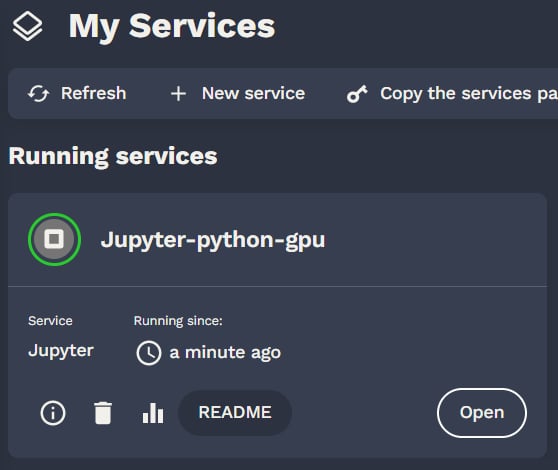
    After launching a service, notes are shown to the user. He can retrieve those notes on the README button. Charts administrator should explain how to connect to the services (url , account) and what happens on deletion.

    Now you want to learn how to setup your devloppement environement for day to day usage:

    hashtag
    File browser

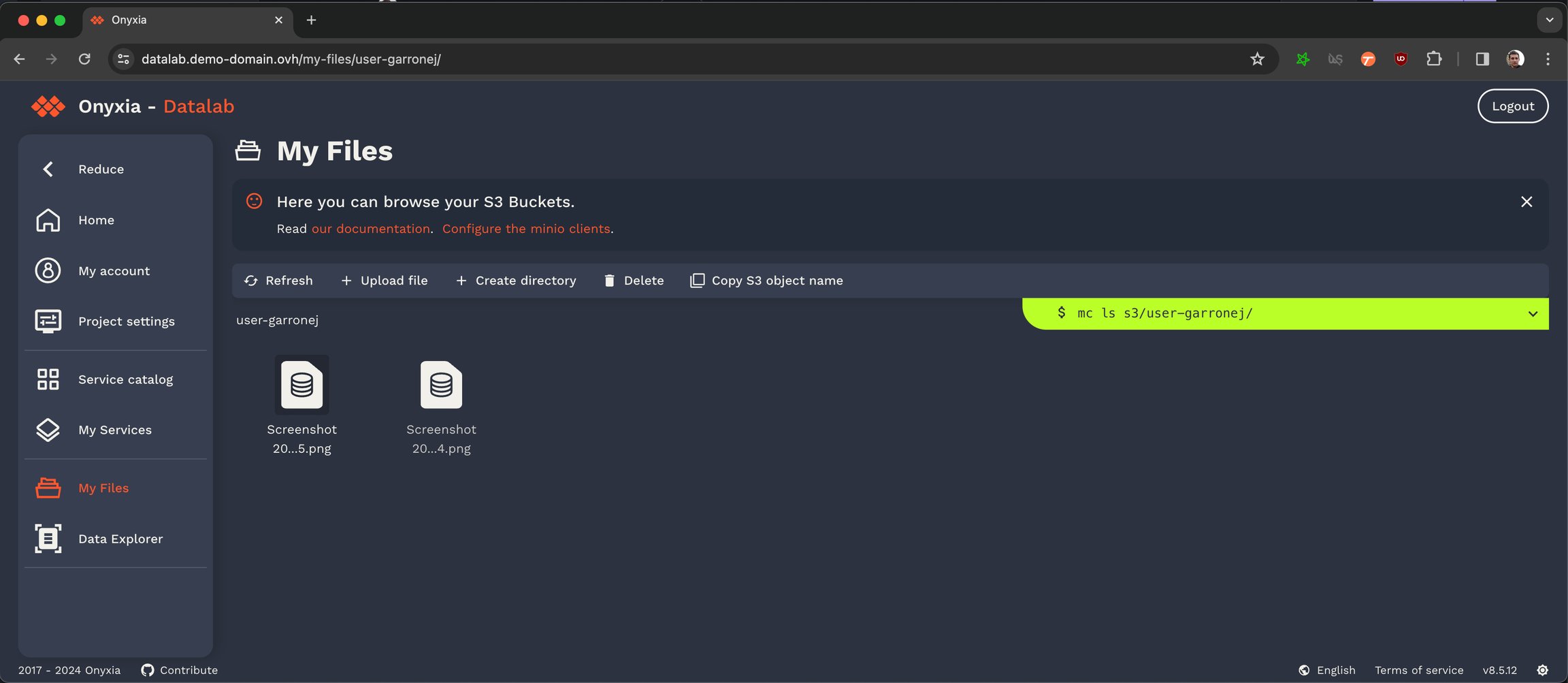
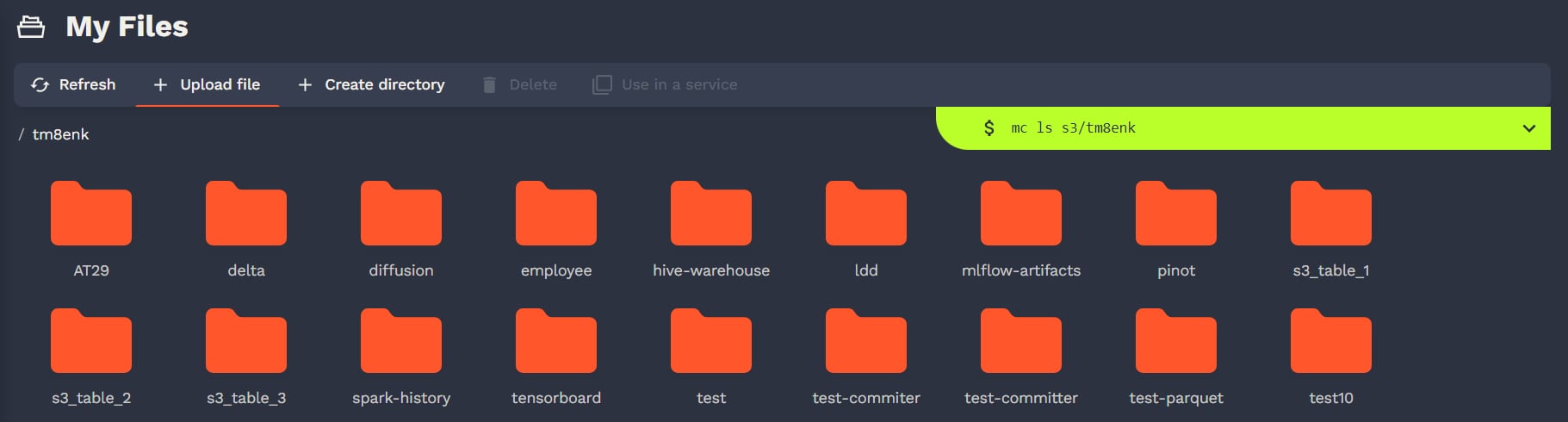
    Users can manage their files on S3. There is no support for rename in S3 so don't be surprise. Onyxia is educational. Any action on the S3 browser in the UI is written in a console with a cli.

    s3 browser

    User can do the following S3 actions :

    • download files

    • upload files

    • delete files

    Of course, in our default catalags there are all the necessary tools to connect to S3.

    Our advice is to never download file to your container but directly ingest in memory the data.

    hashtag
    Secret browser

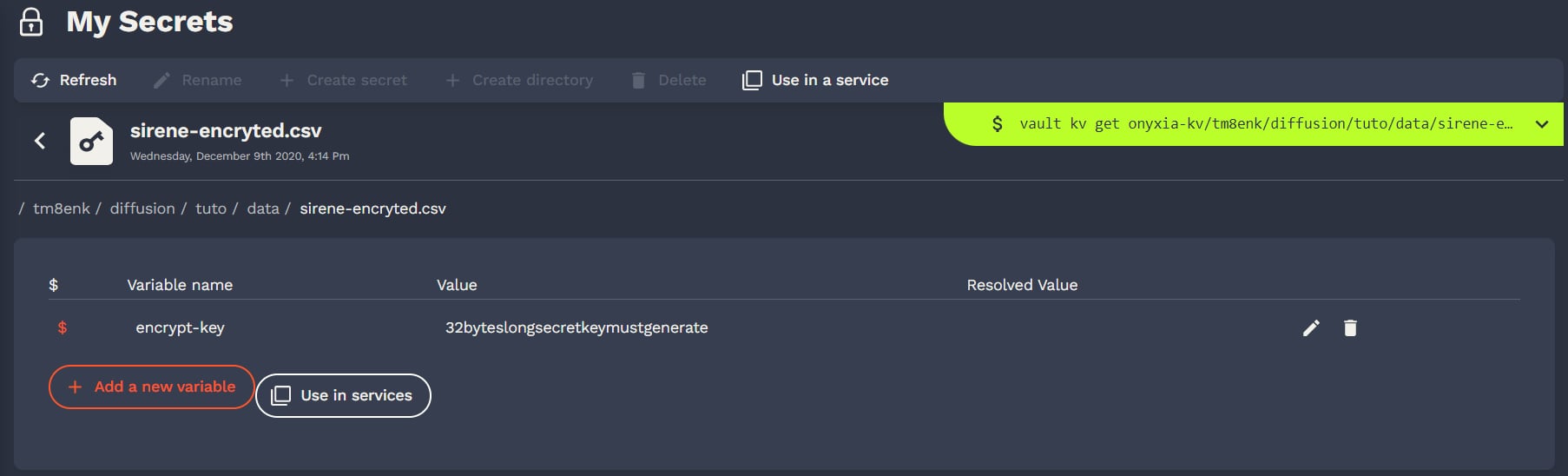
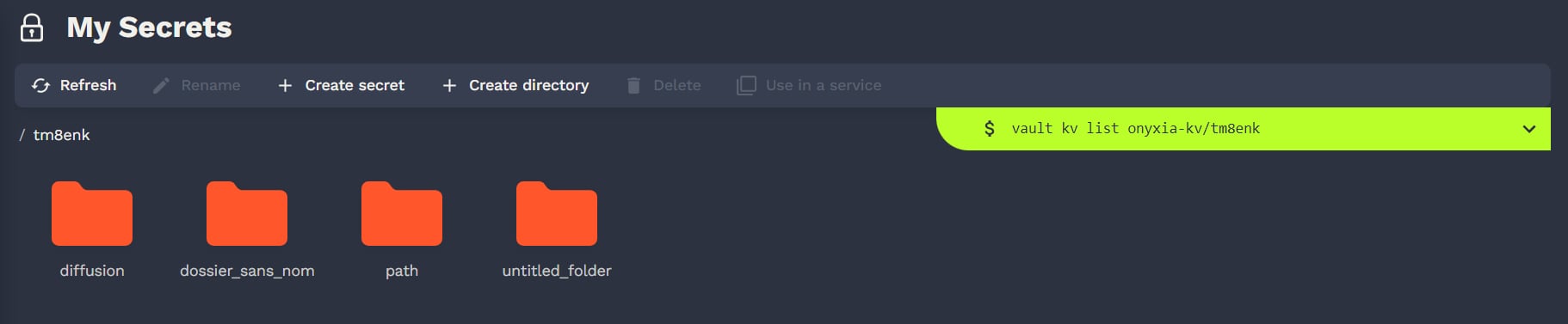
    Users can mange their secrets on Vault. There is also a cli console.

    Onyxia use only a key value v2 secret engine in Vault. Users can store some secrets there and inject them in their services if configured by the helm chart.

    Of course, in our default catalags there are all the necessary tools to connect to Vault.

    https://docs.sspcloud.frarrow-up-right
    💻Setting up your dev environment in Onyxiachevron-right
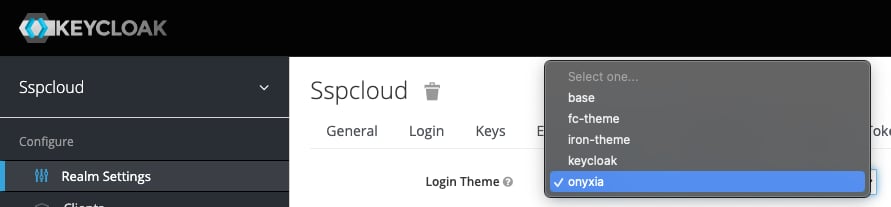
    Also note that, the theme will now appear as "onyxia" in the dropdown. Previously it was "onyxia-web"
    -helm repo add inseefrlab https://inseefrlab.github.io/helm-charts
    +helm repo add onyxia https://inseefrlab.github.io/onyxia
    
    -helm install onyxia inseefrlab/helm-charts
    +helm install onyxia onyxia/onyxia
    apps/onyxia/Chart.yaml
     apiVersion: v2
     name: onyxia
     version: 1.0.0
     dependencies:
       - name: onyxia
    -    version: 4.1.0
    +    version: 4.1.4
    -    repository: https://inseefrlab.github.io/helm-charts/
    +    repository: https://inseefrlab.github.io/onyxia/
    See releasesarrow-up-right
    onyxia-webarrow-up-right
    onyxia-apiarrow-up-right

    Kubernetes

    Provision a Kubernetes cluster

    First you'll need a Kubernetes cluster. If you have one already you can skip and directly go to the Onyxia instalation section.

    Hashicorparrow-up-right maintains great tutorials for terraformingarrow-up-right Kubernetes clusters on AWSarrow-up-right, GCParrow-up-right or Azurearrow-up-right.

    Pick one of the three and follow the guide.

    You can stop after the configure kubectl sectionarrow-up-right.

    Ingress controller

    Let's install ingress-ngnix on our newly created cluster:

    circle-exclamation

    The following command is .

    For GCP use .

    For Azure use .

    DNS

    Let's assume you own the domain name my-domain.net, for the rest of the guide you should replace my-domain.net by a domain you actually own.

    Now you need to get the external address of your cluster, run the command

    and write down the External IP assigned to the LoadBalancer.

    Depending on the cloud provider you are using it can be an IPv4, an IPv6 or a domain. On AWS for example, it will be a domain like xxx.elb.eu-west-1.amazonaws.com.

    If you see <pending>, wait a few seconds and try again.

    Once you have the address, create the following DNS records:

    If the address you got was an IPv4 (x.x.x.x), create a A record instead of a CNAME.

    If the address you got was ans IPv6 (y:y:y:y:y:y:y:y), create a AAAA record.

    https://datalab.my-domain.net will be the URL for your instance of Onyxia. The URL of the services created by Onyxia are going to look like: https://<something>.lab.my-domain.net

    circle-info

    You can customise "datalab" and "lab" to your liking, for example you could chose onyxia.my-domain.net and *.kub.my-domain.net.

    SSL

    In this section we will obtain a TLS certificate issued by using the commend line tool then get our ingress controller to use it.

    If you are already familiar with certbot you're probably used to run it on a remote host via SSH. In this case you are expected to run it on your own machine, we'll use the DNS chalenge instead of the HTTP chalenge.

    circle-info

    The obtained certificate needs to be renewed every three month.

    To avoid the burden of having to remember to re-run the certbot command periodically you can setup and configure a on your cluster but that's out of scope for Onyxia.

    You may need to delegate your DNS Servers to one of the supported .

    Now we want to create a Kubernetes secret containing our newly obtained certificate:

    Lastly, we want to tell our ingress controller to use this TLS certificate, to do so run:

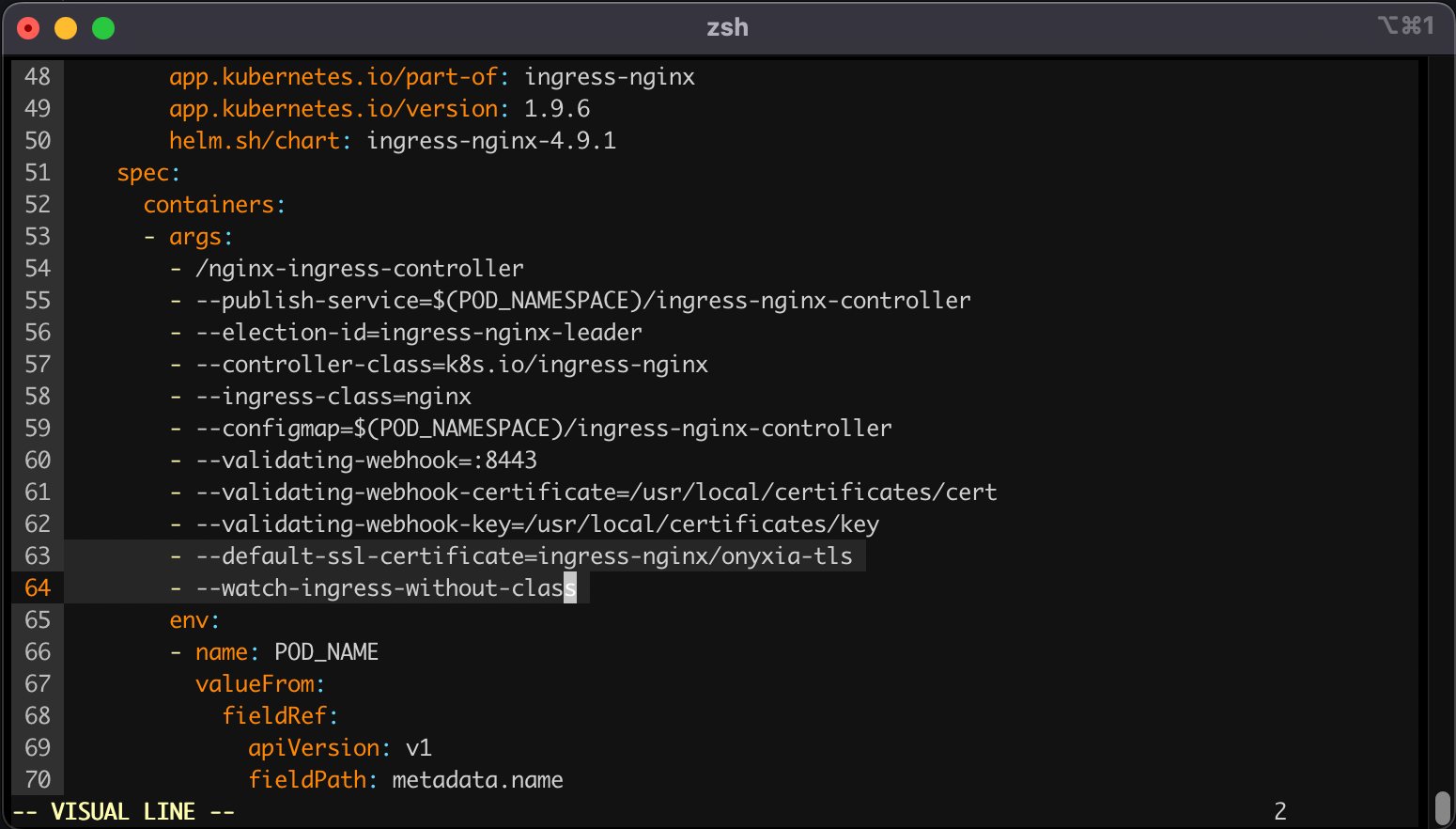
    This command will open your configured text editor, go to containers -> args and add:

    Save and quit. Done 🎉 We installed the ingress-nginx in our cluster, (but note that any other ingress controller could have been used as well). The configuration was adjusted to handle all ingress objects, even those lacking a specified class, and to employ our SSL certificate for our wildcard certificate. This strategy facilitated an effortless SSL termination, managed by the reverse proxy for both *.lab.my-domain.net and datalab.my-domain.net, thus removing any additional SSL configuration concerns.

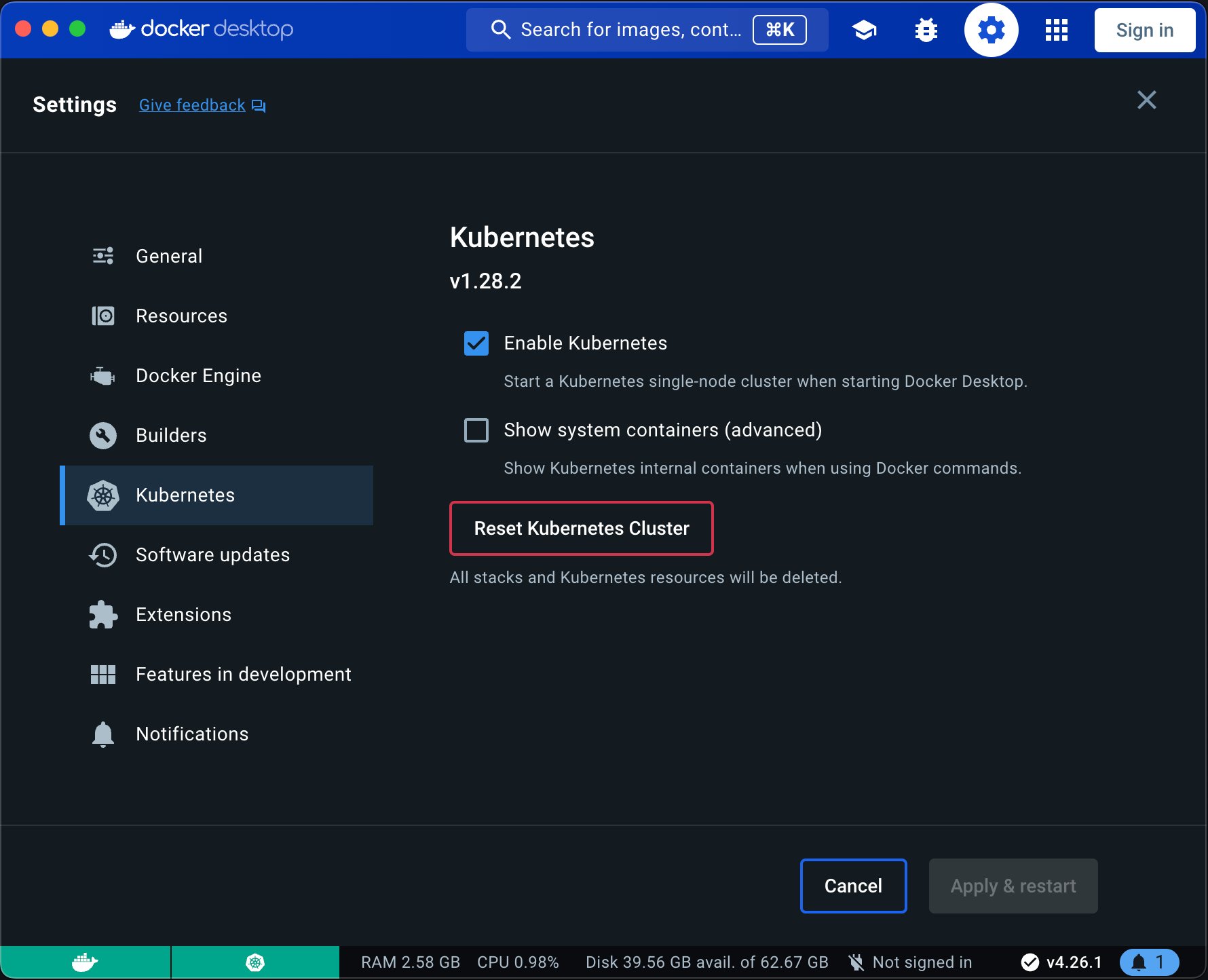
    If you are on a Mac or Window computer you can install then enable Kubernetes.

    circle-exclamation

    WARNING: If you are folowing this installating guide on an Apple Sillicon Mac, be aware that many of the services that comes by default with Onyxia like Jupyter RStudio and VSCode won't run because we do not yet compile our datacience stack for the ARM64 architecture. If you would like to see this change please .

    circle-info

    Now that we have a Kubernetes cluster ready to use let's levrage ArgoCD and GitOps practices to deploy and monitor the core services of our Onyxia Datalab.

    User authentication

    Using Keycloak to enable user authentication

    Let's setup Keycloak to enable users to create account and login to our Onyxia.

    circle-check

    Note that in this instalation guide we make you use Keycloak but you can use any identity server that is Open ID Connect compliant.

    hashtag
    Deploying Keycloak

    We're going to install Keycloak just like we installed Onyxia.

    Before anything open in your onyxia-ops repo and change the passwords. Also write down the , you'll need it to connect to the Keycloak console.

    circle-info

    Try to remember, when you to also update .

    hashtag
    Configuring Keycloak

    You can now login to the administration console of https://auth.lab.my-domain.net/auth/ and login using username: keycloak and password: <the one you've wrote down earlier>.

    1. Create a realm called "datalab" (or something else), go to Realm settings

      1. On the tab General

        1. User Profile Enabled: On

    Now you want to ensure that the username chosen by your users complies with Onyxia requirement (only alphanumerical characters) and define a list of email domain allowed to register to your service.

    Go to Realm Settings (on the left panel) -> Tab User Profile (this tab shows up only if User Profile is enabled in the General tab and you can enable user profile only if you have started Keycloak with -Dkeycloak.profile=preview) -> JSON Editor.

    Now you can edit the file as suggested in the following DIFF snippet. Be mindful that in this example we only allow emails @gmail.com and @hotmail.com to register you want to edit that.

    Now our Keycloak server is fully configured we just need to update our Onyxia deployment to let it know about it.

    hashtag
    Updating the Onyxia configuration

    In your GitOps repo you now want to update your onyxia configuration.

    Here is the DIFF of the onyxia configuration:

    Now your users should be able to create account, log-in, and start services on their own Kubernetes namespace.

    Next step in the installation proccess it to enable all the S3 related features of Onyxia:

    Architecture

    hashtag
    Main rules

    • src/uiarrow-up-right contains the React application, it's the UI of the app.

    • contains the 🧠 of the app.

      • Nothing in the src/core directory should relate to React. A concept like react hooks for example is out of scope for the src/core directory.

      • src/core should never import anything from src/ui, even types.

    hashtag
    Architecture

    • Whenever we need to interact with the infrastructure we define a port in . A port is only a type definition. In our case the infrastructure is: the Keycloak server, the Vault server, the Minio server and a Kubernetes API (Onyxia-API).

    • In are the implementations of the ports. For each port we should have at least two implementations, a dummy and a real one. It enabled the app to still run, be it in degraded mode, if one piece of the infrastructure is missing. Say we don’t have a Vault server we should still be able to launch containers.

    The following framework is the backbone of onyxia-web, if you can familiarize yourself with it it will make working with onyxia-web much easyer.

    hashtag
    In practice

    Let's say we want to create a new page in onyxia-web where users can type in a repo name and get the current number of stars the repo has on GitHub.

    circle-info

    UPDATE: This video remain relevant but please not that the clean archi setup have been considerably improved in latest releases. have been created to explain it in detail.

    Main take-way is that app have been renamed ui and lib have been renamed core.

    circle-info

    You might wonder why some values, instead of being redux state, are returned by thunks functions.

    For example, it might seem more natural to do:

    Instead of what we actually do, which is:

    However the rule is to never store as a redux state, values that are not susceptible to change. Redux states are values that we observe, any redux state changes should trigger a re-render of the React components that uses them. Conversely, there is no need to observe a value that will never change. We can get it once and never again, get it in a callback or wherever.

    Now let's say we want the search to be restricted to a given GitHub organization. (Example: InseeFrLab.) The GitHub organization should be specified as an environment variable by the person in charge of deploying Onyxia. e.g.:

    If no ORG_NAME is provided by the administrator, the app should always show 999 stars for any repo name queried.

    hashtag
    Another example: Recording user's GitLab token

    Currently users can save their GitHub Personal access token in their Onyxia account but not yet their GitLab token. Let's see how we would implement that.

    hashtag
    How to deal with project switching

    The easy action to take when the user selects another project is to simply reload the page (windows.location.reload()). We want to avoid doing this to enable what we call "hot projet swiping":

    To implement this behavior you have to leverage the evtAction middleware from clean-redux. It enabled to register functions to be run when certain actions are dispatched.

    circle-info

    Unlike the other video, the following one is voiced. Find the relevant code .

    onyxia/helm-chart/values.yaml at v6.0.1 · InseeFrLab/onyxiaGitHubchevron-right
    onyxia/helm-chart/values.yaml at v6.0.1 · InseeFrLab/onyxiaGitHubchevron-right
      web:
        env:
          FONT: |
            { 
              fontFamily: "Marianne", 
              dirUrl: "%PUBLIC_URL%/fonts/Marianne", 
              "400": "Marianne-Regular.woff2",
              "400-italic": "Marianne-Regular_Italic.woff2",
              "500": "Marianne-Medium.woff2",
              "700": "Marianne-Bold.woff2",
              "700-italic": "Marianne-Bold_Italic.woff2"
            }
          PALETTE_OVERRIDE: |
            {
              focus: {
                main: "#000091",
                light: "#9A9AFF",
                light2: "#E5E5F4"
              },
              dark: {
                main: "#2A2A2A",
                light: "#383838",
                greyVariant1: "#161616",
                greyVariant2: "#9C9C9C",
                greyVariant3: "#CECECE",
                greyVariant4: "#E5E5E5"
              },
              light: {
                main: "#F1F0EB",
                light: "#FDFDFC",
                greyVariant1: "#E6E6E6",
                greyVariant2: "#C9C9C9",
                greyVariant3: "#9E9E9E",
                greyVariant4: "#747474"
              }
            }
          SOCIAL_MEDIA_IMAGE: "%PUBLIC_URL%/preview-france.png"
          HOMEPAGE_MAIN_ASSET: "false"
    web:
        env:
          FONT: |
            { 
              fontFamily: "Geist", 
              dirUrl: "%PUBLIC_URL%/fonts/Geist", 
              "400": "Geist-Regular.woff2",
              "500": "Geist-Medium.woff2",
              "600": "Geist-SemiBold.woff2",
              "700": "Geist-Bold.woff2"
            }
          PALETTE_OVERRIDE: |
            {
              focus: {
                main: "#067A76",
                light: "#0AD6CF",
                light2: "#AEE4E3"
              },
              dark: {
                main: "#2D1C3A",
                light: "#4A3957",
                greyVariant1: "#22122E",
                greyVariant2: "#493E51",
                greyVariant3: "#918A98",
                greyVariant4: "#C0B8C6"
              },
              light: {
                main: "#F7F5F4",
                light: "#FDFDFC",
                greyVariant1: "#E6E6E6",
                greyVariant2: "#C9C9C9",
                greyVariant3: "#9E9E9E",
                greyVariant4: "#747474"
              }
            }
          SOCIAL_MEDIA_IMAGE: "%PUBLIC_URL%/preview-ultraviolet.png"
    helm repo add onyxia https://inseefrlab.github.io/onyxia
    
    DOMAIN=my-domain.net
    
    cat << EOF > ./onyxia-values.yaml
    # ...
    web:
      image:
    -   tag: 2.29.4
    api:
      image:
    -   tag: v0.32   
    # ...
    EOF
    
    helm install onyxia onyxia/onyxia -f onyxia-values.yaml
    helm repo add codecentric https://codecentric.github.io/helm-charts
    
    cat << EOF > ./keycloak-values.yaml
    # ... See https://docs.onyxia.sh/#enabling-user-authentication
    extraInitContainers: |
      - name: realm-ext-provider
        image: curlimages/curl
        imagePullPolicy: IfNotPresent
        command:
          - sh
        args:
          - -c
          - |
    -       curl -L -f -S -o /extensions/onyxia.jar https://github.com/InseeFrLab/onyxia/releases/download/v2.29.4/keycloak-theme.jar
    +       curl -L -f -S -o /extensions/onyxia.jar https://github.com/InseeFrLab/onyxia/releases/download/v4.1.4/keycloak-theme.jar
        volumeMounts:
          - name: extensions
            mountPath: /extensions
    extraVolumeMounts: |
      - name: extensions
        mountPath: /opt/jboss/keycloak/standalone/deployments
    extraVolumes: |
      - name: extensions
        emptyDir: {}
    # ...
    EOF
    
    helm install keycloak codecentric/keycloak -f keycloak-values.yaml

    Docker desktop isn't available on Linux, you can use Kindarrow-up-right instead.

    Port Forwarding

    You'll need to forward the TCP ports 80 and 443 to your local machinearrow-up-right. It's done from the administration panel of your domestic internet Box. If you're on a corporate network you'll have to test onyxia on a remote Kubernetes cluster.

    DNS

    Let's assume you own the domain name my-domain.net, for the rest of the guide you should replace my-domain.net by a domain you actually own.

    Get your internet box routable IParrow-up-right and create the following DNS records:

    circle-check

    If you have DDNS domain you can create CNAME instead example:

    https://datalab.my-domain.net will be the URL for your instance of Onyxia.

    The URL of the services created by Onyxia are going to look like: https://xxx.lab.my-domain.net

    circle-info

    You can customise "datalab" and "lab" to your liking, for example you could chose onyxia.my-domain.net and *.kub.my-domain.net.

    SSL

    In this section we will obtain a TLS certificate issued by LetsEncryptarrow-up-right using the certbotarrow-up-right commend line tool.

    circle-info

    The obtained certificate needs to be renewed every three month.

    To avoid the burden of having to remember to re-run the certbot command periodically you can setup cert-managerarrow-up-right and configure a DNS01 challenge providerarrow-up-right on your cluster but that's out of scope for Onyxia.

    You may need to delegate your DNS Servers to one of the supported DNS service providerarrow-up-right.

    Now we want to create a Kubernetes secret containing our newly obtained certificate:

    Ingress controller

    We will install ingress-nginx in our cluster, although any other ingress controller would be suitable as well. The configuration will be set up to handle all ingress objects, including those without a specified class, and to utilize our SSL certificate for our wildcard certificate. This approach ensures a straightforward SSL termination managed by the reverse proxy for both *.lab.my-domain.net and datalab.my-domain.net, eliminating any further concerns regarding SSL setup.

    for AWSarrow-up-right
    this commandarrow-up-right
    this commandarrow-up-right
    LetsEncryptarrow-up-right
    certbotarrow-up-right
    cert-managerarrow-up-right
    DNS01 challenge providerarrow-up-right
    DNS service providerarrow-up-right
    Docker desktoparrow-up-right
    sumit an issue about itarrow-up-right
    🐙GitOpschevron-right
    Enabling Kubernetes in the Docker desktop App

    On the tab login

    1. User registration: On

    2. Forgot password: On

    3. Remember me: On

  • On the tab email, we give an example with AWS SESarrow-up-right, if you don't have a SMTP server at hand you can skip this by going to Authentication (on the left panel) -> Tab Required Actions -> Uncheck "set as default action" Verify Email. Be aware that with email verification disable, anyone will be able to sign up to your service.

    1. From: [email protected]

    2. Host: email-smtp.us-east-2.amazonaws.com

    3. Port: 465

    4. Authentication: enabled

    5. Username: **************

    6. Password: ***************************************

    7. When clicking "save" you'll be asked for a test email, you have to provide one that correspond to a pre-existing user or you will get a silent error and the credentials won't be saved.

  • On the tab Themes

    1. Login theme: onyxia-web (you can also select the login theme on a per client basis)

    2. Email theme: onyxia-web

  • On the tab Localization

    1. Internationalization: Enabled

    2. Supported locales: <Select the languages you wish to support>

  • On the tab Session.

    1. SSO Session Idle: 14 days

    2. SSO Session Max: 14 days

    3. SSO Session Idle Remember Me: 14 days

    4. SSO Session Max Remember Me: 14 days

  • Create a client with client ID "onyxia"

    1. Root URL: https://datalab.my-domain.net/

    2. Valid redirect URIs: https://datalab.my-domain.net/*

    3. Web origins: *

    4. Login theme: onyxia-web

  • In Authentication (on the left panel) -> Tab Required Actions enable and set as default action Therms and Conditions.

  • apps/keycloak/values.yamlarrow-up-right
    keycloak.auth.adminPasswordarrow-up-right
    update Onyxia in apps/onyxia/Chart.yamlarrow-up-right
    the Onyxia theme in apps/keycloak/values.yamlarrow-up-right
    🗃️Data (S3)chevron-right
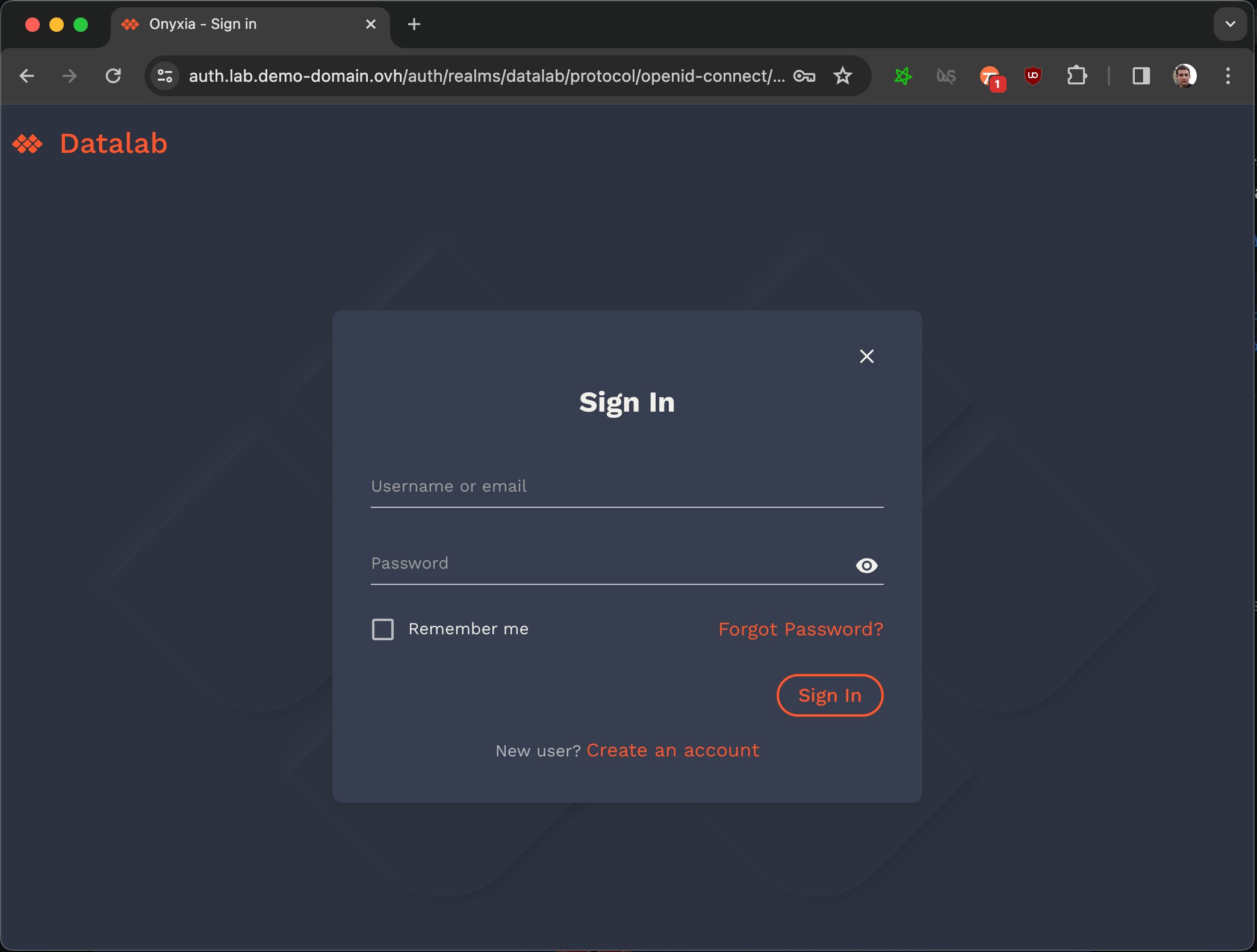
    The screen you shoud see when clicking on "login" in your Onyxia deployment
    It should be possible for example to port onyxia-web to Vue.js or React Native without changing anything to the src/core directory.
  • The goal of src/core is to expose an API that serves the UI.

  • The API exposed should be reactive. We should not expose to the UI functions that returns promises, instead, the functions we expose should update states and the UI should react to these states updates.

  • In
    we expose APIs for the UI to consume.
    But, you may object, users do login and logout, isUserLoggedIn is not a constant!

    Actually, from the standpoint of the web app, it is. When a user that isn't authenticated click on the login button, it is being redirected away. When he returns to the app everything is reloaded from scratch.

    src/corearrow-up-right
    src/core/portarrow-up-right
    src/core/adaptersarrow-up-right
    A dedicated repoarrow-up-right
    herearrow-up-right
    The page is not reloaded when changing the project
    src/lib/usecasesarrow-up-right
    Slackjoin.slack.comchevron-right
    Onyxia Community Slack Server
    InseeFrLab/onyxiaGitHubchevron-right
    Onyxia project GitHub Milestones
    Slackjoin.slack.comchevron-right
    Enable MinIO · InseeFrLab/onyxia-ops@e8e5d57GitHubchevron-right
    SSPCloudwww.sspcloud.frchevron-right
    onyxia-api/docs/region-configuration.md at main · InseeFrLab/onyxia-apiGitHubchevron-right
    The new S3 region parameter specification
    SSPClouddocs.sspcloud.frchevron-right
    Visualizing Codebasesmango-dune-07a8b7110.1.azurestaticapps.netchevron-right
    datalab.my-domain.net CNAME jhon-doe-home.ddns.net.
    *.lab.my-domain.net   CNAME jhon-doe-home.ddnc.net.
    kubectl apply -f https://raw.githubusercontent.com/kubernetes/ingress-nginx/controller-v1.2.0/deploy/static/provider/aws/deploy.yaml
    kubectl get services -n ingress-nginx
    datalab.my-domain.net CNAME xxx.elb.eu-west-1.amazonaws.com. 
    *.lab.my-domain.net   CNAME xxx.elb.eu-west-1.amazonaws.com. 
    brew install certbot #On Mac, lookup how to install certbot for your OS
    
    #Because we need a wildcard certificate we have to complete the DNS callange.  
    sudo certbot certonly --manual --preferred-challenges dns
    
    # When asked for the domains you wish to optains a certificate for enter:
    #   datalab.my-domain.net *.lab.my-domain.net
    DOMAIN=my-domain.net
    sudo kubectl create secret tls onyxia-tls \
        -n ingress-nginx \
        --key /etc/letsencrypt/live/datalab.$DOMAIN/privkey.pem \
        --cert /etc/letsencrypt/live/datalab.$DOMAIN/fullchain.pem
    kubectl edit deployment ingress-nginx-controller -n ingress-nginx
          - --default-ssl-certificate=ingress-nginx/onyxia-tls
          - --watch-ingress-without-class
    datalab.my-domain.net A <YOUR_IP>
    *.lab.my-domain.net   A <YOUR_IP>
    brew install certbot #On Mac, lookup how to install certbot for your OS
    
    # Because we need a wildcard certificate we have to complete the DNS callange.  
    sudo certbot certonly --manual --preferred-challenges dns
    
    # When asked for the domains you wish to optains a certificate for enter:
    #   datalab.my-domain.net *.lab.my-domain.net
    # First let's make sure we connect to our local Kube cluser
    kubectl config use-context docker-desktop
    
    kubectl create namespace ingress-nginx
    DOMAIN=my-domain.net
    sudo kubectl create secret tls onyxia-tls \
        -n ingress-nginx \
        --key /etc/letsencrypt/live/datalab.$DOMAIN/privkey.pem \
        --cert /etc/letsencrypt/live/datalab.$DOMAIN/fullchain.pem
    cat << EOF > ./ingress-nginx-values.yaml
    controller:
      extraArgs:
        default-ssl-certificate: "ingress-nginx/onyxia-tls"
      watchIngressWithoutClass: true
    EOF
    
    helm install ingress-nginx ingress-nginx \
        --repo https://kubernetes.github.io/ingress-nginx \
        --version 4.9.1 \
        --namespace ingress-nginx \
        -f ./ingress-nginx-values.yaml
    {
      "attributes": [
        {
          "name": "username",
          "displayName": "${username}",
          "validations": {
            "length": {
              "min": 3,
              "max": 255
            },
    +       "pattern": {
    +         "error-message": "${lowerCaseAlphanumericalCharsOnly}",
    +         "pattern": "^[a-z0-9]*$"
    +       },
            "username-prohibited-characters": {}
          }
        },
        {
          "name": "email",
          "displayName": "${email}",
          "validations": {
            "email": {},
    +       "pattern": {
    +         "pattern": "^[^@]+@([^.]+\\.)*((gmail\\.com)|(hotmail\\.com))$"
    +       },
            "length": {
              "max": 255
            }
          }
        },
    ...
    git clone https://github.com/<your-github-org>/onyxia-ops
    cd onyxia-ops
    cd apps/onyxia
    mv values-keycloak-enabled.yaml values.yaml
    git commit -am "Enable keycloak"
    git push
    const { isUserLoggedIn } = useCoreState(state => state.userAuthentication);
    const { userAuthenticationThunks } = useThunks();
    const isUserLoggedIn = userAuthenticationThunks.getIsUserLoggedIn();
      web:
        env:
          MINIO_URL: https://minio.lab.sspcloud.fr
          VAULT_URL: https://vault.lab.sspcloud.fr
          OIDC_URL: https://auth.lab.sspcloud.fr/auth
          OIDC_REALM: sspcloud
          TITLE: SSP Cloud
          ORG_NAME: InseeFrLab #<==========
          
    Logo
    GitHub - InseeFrLab/helm-charts-automationGitHubchevron-right
    GitHub - InseeFrLab/helm-charts-databases: A collection of helm charts to deploy BDD inside Onyxia DatalabGitHubchevron-right
    GitHub - InseeFrLab/helm-charts-datavisualizationGitHubchevron-right
    GitHub - InseeFrLab/helm-charts-interactive-services: Collection of helm charts to deploy services from Onyxia's data science catalogGitHubchevron-right
    Connecting to an external S3
    onyxia/web/.env at main · InseeFrLab/onyxiaGitHubchevron-right
    Provision an EKS cluster (AWS) | Terraform | HashiCorp DeveloperProvision an EKS cluster (AWS) | Terraform | HashiCorp Developerchevron-right
    Provision a GKE cluster (Google Cloud) | Terraform | HashiCorp DeveloperProvision a GKE cluster (Google Cloud) | Terraform | HashiCorp Developerchevron-right
    Provision an AKS cluster in Azure | Terraform | HashiCorp DeveloperProvision an AKS cluster in Azure | Terraform | HashiCorp Developerchevron-right
    Enable Keycloak · InseeFrLab/onyxia-ops@37faa63GitHubchevron-right
    GitHub - garronej/clean-architecture: 📐 A clean architecture frameworkGitHubchevron-right
    Logo
    Logo
    Logo
    Logo
    Logo
    Logo
    Logo
    Logo
    Logo
    Logo
    Logo
    Logo
    Logo

    Technical stack

    Technologies at play in Onyxia-web

    To find your way in Onyxia, the best approach is to start by getting a surface-level understanding of the libraries that are leveraged in the project.

    circle-info

    Modules marked by 🐔 are our own.

    hashtag
    tsafe 🐔

    We also heavily rely on . It's a collection of utilities that help write cleaner TypeScript code. It is crutial to understand at least , , and to be able to contribute on the codebase.

    hashtag
    For working on what the end user 👁

    Anything contained in the directory.

    hashtag
    Onyxia-UI 🐔

    The UI toolkit used in the project, you can find the setup of in onyxia-web here: .

    hashtag
    integration

    is fully compatible with .

    Onyxia-UI offers but you can also use components in the project, their aspect will automatically be adapted to blend in with the theme.

    hashtag
    🔡 Linking onyxia-ui in onyxia-web

    To release a new version of . You just need to bump the and push. will automate publish .

    If you want to test some changes made to onyxia-ui in onyxia-web before releasing a new version of onyxia-ui to NPM you can link locally onyxia-ui in onyxia-web.

    Now you can make changes in ~/github/onyxia/ui/and see the live updates.

    If you want to install/update some dependencies, you must remove the node_modules, do you updates, then link again.

    hashtag
    tss-react 🐔

    The library we use for styling.

    Rules of thumbs when it comes to styling:

    • Every component should acceptprop it should always .

    • A component should not size or position itself. It should always be the responsibility of the parent component to do it. In other words, you should never have height, width, top, left, right

    hashtag
    screen-scaler 🐔

    Onyxia is mostly used on desktop computer screens. It's not worth the effort to create a fully flege responsive design for the UI. screen-scaler enables us to design for a sigle canonical screen size. The library take charge of scaling/shrinking the image. depending on the real size of the screen. It also asks to rotate the screen when the app is rendered in protrait mode.

    hashtag
    Storybook

    It enables us to test the graphical components in isolation. .

    To launch Storybook locally run the following command:

    hashtag
    vite-envs 🐔

    We need to be able to do:

    Then, somehow, access OIDC_URL in the code like process.env["OIDC_URL"].

    In theory it shouldn't be possible, onyxia-web is an SPA, it is just static JS/CSS/HTML. If we want to bundle values in the code, we should have to recompile. But this is where comes into play.

    It enables to run onyxia-web again a specific infrastructure while keeping the app docker image generic.

    Checkout :

    • All the accepted environment variables are defined here: . They are all prefixed with REACT_APP_ to be compatible . Default values are defined in this file.

    • Only in development (yarn start) is also loaded and have priority over .env

    circle-exclamation

    Please try not to access the environment variable to liberally through out the code. In principle they should only be accessed . We try to keep things as much as possible.

    hashtag
    powerhooks 🐔

    It's a collection general purpose react hooks. Let's document the few use cases you absolutely need to understand:

    hashtag
    Avoiding useless re-render of Components

    For the sake of performance we enforce that every component be wrapped into . It makes that a component only re-render if one of their prop has changed.

    However if you use inline functions or as callbacks props your components will re-render every time anyway:

    We always use for callback props. And for callback prop in lists.

    hashtag
    Measuring Components

    It is very handy to be able to get the height and the width of components dynamically. It prevents from having to hardcode dimension when we don’t need to. For that we use ``

    hashtag
    Keycloakify 🐔

    It's a build tool that enables to implement the login and register pages that users see when they are redirected to Keycloak for authentication.

    If the app is being run on Keycloak the isn't undefined and it means shat we should render the login/register pages.

    If you want to test, uncomment and run yarn start. You can also test the login pages in a local keycloak container by running yarn keycloak. All the instructions will be printed on the console.

    The keycloak-theme.jar file is automatically and by the CI.

    hashtag
    type-routes

    The library we use for routing. It's like but type safe.

    hashtag
    i18nifty 🐔

    For internalization and translation.

    hashtag
    Vite

    hashtag
    For working on 🧠 of the App

    Anything contained in the directory.

    hashtag
    clean-architecture 🐔

    The framework used to implement strict separation of concern betwen the UI and the Core and high modularity of the code.

    There is for helping you understand the clean architecture framework.

    hashtag

    hashtag
    oidc-spa 🐔

    For everything related to user authentication.

    hashtag
    EVT 🐔

    EVT is an event management library (like is).

    A lot of the things we do is powered under the hood by EVT. You don't need to know EVT to work on onyxia-web however, in order to demystify the parts of the codes that involve it, here are the key ideas to take away:

    • If we need to perform particular actions when a value gets changed, we use.

    • We use Ctxto detaches event handlers when we no longer need them. (See line 108 on )

    • In React, we use the hook to work with DOM events.

    Logo
    ,
    bottom
    or
    margin
    in
    of your components.
  • You should never have a color or a dimension hardcoded elsewhere than in . Use theme.spacing() (, , ) and .

  • Then, in the code the variable can be accessed .

    GitHub - garronej/clean-architecture: 📐 A clean architecture frameworkGitHubchevron-right
    tsafearrow-up-right
    assertarrow-up-right
    idarrow-up-right
    Equalsarrow-up-right
    symToStrarrow-up-right
    src/uiarrow-up-right
    onyxia-UIarrow-up-right
    src/ui/theme.tsxarrow-up-right
    MUIarrow-up-right
    Onyxia-UIarrow-up-right
    MUIarrow-up-right
    a library of reusable componentsarrow-up-right
    MUIarrow-up-right
    Onyxia-UI
    package.json's versionarrow-up-right
    The CIarrow-up-right
    a new version on NPM
    an optional classNamearrow-up-right
    overwrite the internal stylesarrow-up-right
    See sourcesarrow-up-right
    cra-envsarrow-up-right
    the helm chartarrow-up-right
    .envarrow-up-right
    with create-react-apparrow-up-right
    .env.localarrow-up-right
    herearrow-up-right
    purearrow-up-right
    React.memo()arrow-up-right
    useCallbackarrow-up-right
    useConstCallbackarrow-up-right
    useCallbackFactoryarrow-up-right
    useDomRectarrow-up-right
    kcContextarrow-up-right
    this linearrow-up-right
    buildarrow-up-right
    uploaded as a GitHub release assetarrow-up-right
    react-routerarrow-up-right
    src/corearrow-up-right
    a snake game (the classic nokia game) examplearrow-up-right
    RxJS arrow-up-right
    StatefullEvtarrow-up-right
    this playgroundarrow-up-right
    useEvtarrow-up-right
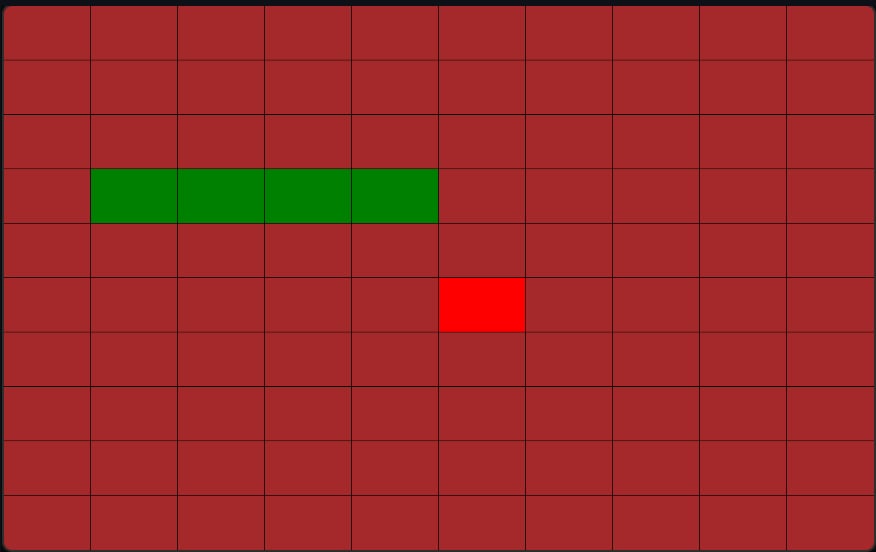
    Snake game for understanding the clean-architecture framwork
    Logo
    cd ~/github
    git clone https//github.com/InseeFrLab/onyxia
    cd onyxia/web
    yarn install
    
    cd ~/github/onyxia #This is just a suggestion, clone wherever you see fit.
    git clone https://github.com/InseeFrLab/onyxia-ui ui
    cd ui
    yarn install
    yarn build
    yarn link-in-web
    npx tsc -w
    
    # Open a new terminal
    cd ~/github/onyxia/web
    yarn start
    
    yarn storybook
    docker run --env OIDC_URL="https://url-of-our-keycloak.fr/auth" InseeFrLab/onyxia-web
      web:
        replicaCount: 2
        env:
          MINIO_URL: https://minio.lab.sspcloud.fr
          VAULT_URL: https://vault.lab.sspcloud.fr
          OIDC_URL: https://auth.lab.sspcloud.fr/auth
          OIDC_REALM: sspcloud
          TITLE: SSP Cloud
    the root stylesarrow-up-right
    the theme configurationarrow-up-right
    ex1arrow-up-right
    ex2arrow-up-right
    ex3arrow-up-right
    theme.colors.useCases.xxxarrow-up-right
    like thisarrow-up-right
    Logo
    Logo
    Setting up a new story
    tsafe — Leverage the more advanced TypeScript featureswww.tsafe.devchevron-right
    Storybook: Frontend workshop for UI developmentStorybookchevron-right
    Playground to explain the usefulness of useConstCallback
    GitHub - InseeFrLab/onyxia-ui: 🌓 Onyxia UI toolkitGitHubchevron-right
    GitHub - garronej/screen-scaler: 🖥️ One-size-fit-all web design: Screen-size agnostic development environment.GitHubchevron-right
    i18niftywww.i18nifty.devchevron-right
    GitHub - garronej/vite-envs: ⚙️ Env var in Vite at container startupGitHubchevron-right
    GitHub - keycloakify/keycloakify: 🔏 Keycloak theming for the modern webGitHubchevron-right
    GitHub - garronej/powerhooks: A collection of powerfull react hooksGitHubchevron-right
    GitHub - garronej/oidc-spa: Mirror for deploying the example on Vercel for freeGitHubchevron-right
    GitHub - zilch/type-route: The flexible, type safe routing library.GitHubchevron-right
    Logo
    Logo
    EVT - EventEmitter's typesafe replacementwww.evt.landchevron-right

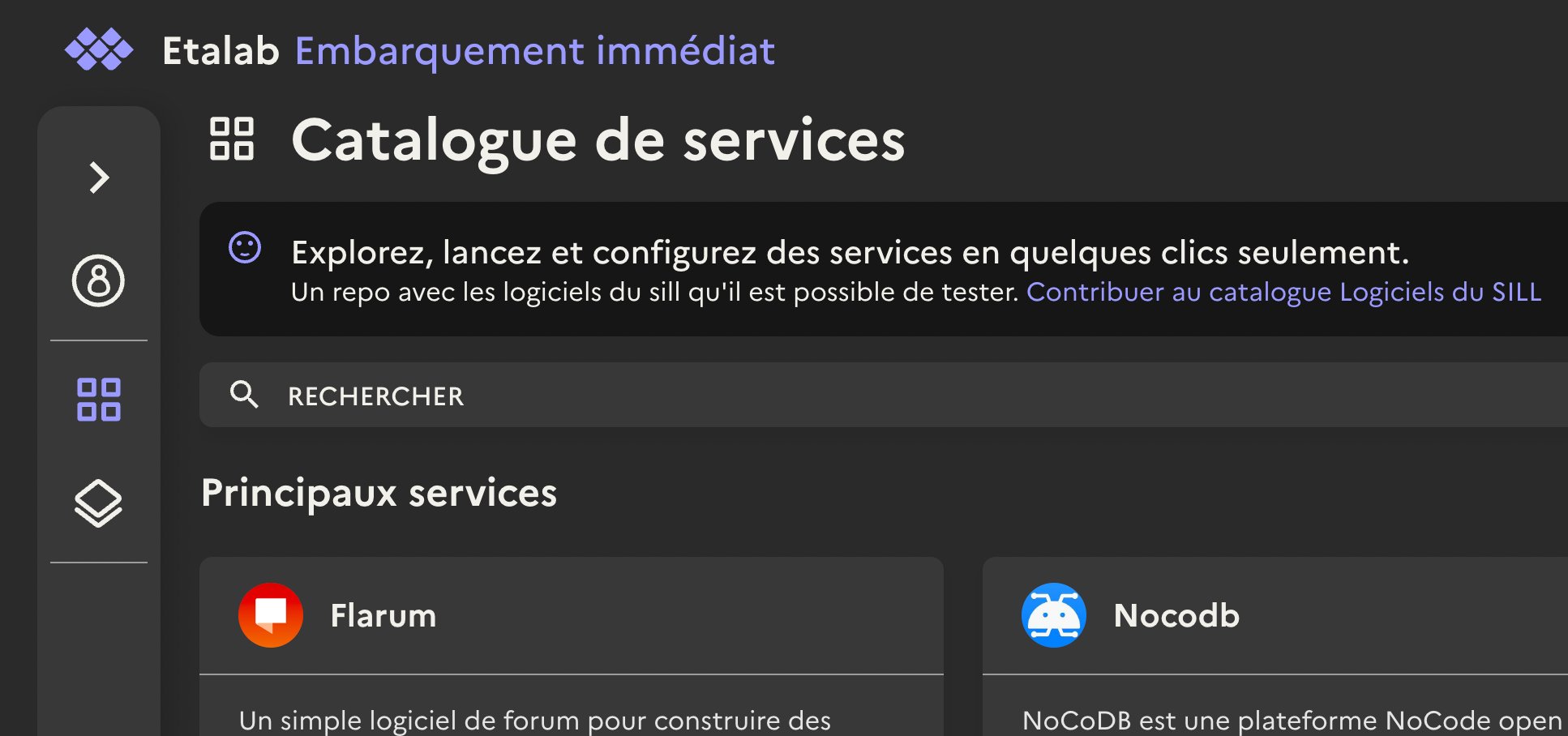
    Catalog of services

    Unserstand how Onyxia catalogs work and potentially create your own!

    Every Onyxia instance may or may not have it's own catalog. There are four default catalogs :

    GitHub - InseeFrLab/helm-charts-interactive-services: Collection of helm charts to deploy services from Onyxia's data science catalogGitHubchevron-right

    This collection of charts helps users to launch many IDE with various binary stacks (python , R) with or without GPU support. Docker images are built herearrow-up-right and help us to give a homogeneous stack.

    GitHub - InseeFrLab/helm-charts-databases: A collection of helm charts to deploy BDD inside Onyxia DatalabGitHubchevron-right

    This collection of charts helps users to launch many databases system. Most of them are based on bitnami/chartsarrow-up-right.

    This collection of charts helps users to start automation tools for their datascience activity.

    GitHub - InseeFrLab/helm-charts-datavisualizationGitHubchevron-right

    This collection of charts helps users to launch tools to visualize and share data insights.

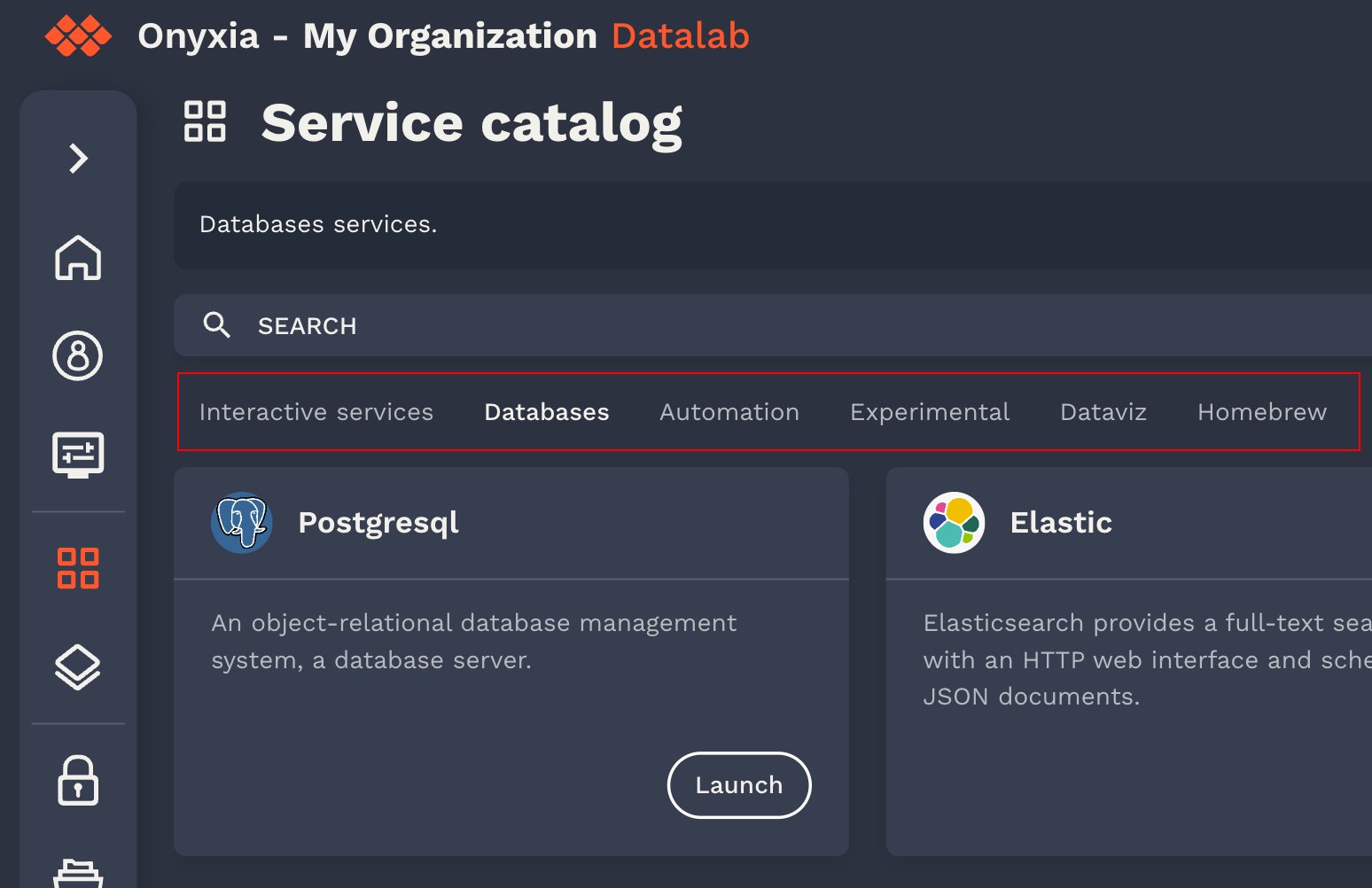
    You can always find the source of the catalog by clicking on the "contribute to the... " link.

    If you take , it has only one catalog, .

    hashtag
    Using your own catalogs (helm charts repositories)

    If you do not specify catalogs in your onyxia/values.yaml, these are the ones that are used by default: .

    To configure your onyxia instance to use your own custom helm repositories as onyxia catalogs you need to use the onyxia configuration onyxia.api.catalogs. Let's say we're NASA and we want to have an "Areospace services" catalog on our onyxia instance. Our onyxia configuration would look a bit like this:

    hashtag
    Customizing your helm charts for Onyxia

    In Onyxia we use the values.schema.json file to know what options should be displayed to the user at and what default value Onyxia should inject.

    hashtag
    [x-onyxia] overwriteDefaultWith

    Let's consider a sample of the values.schema.json of the InseeFrLab/helm-charts-interactive-services' Jupyter chart:

    And it translates into this:

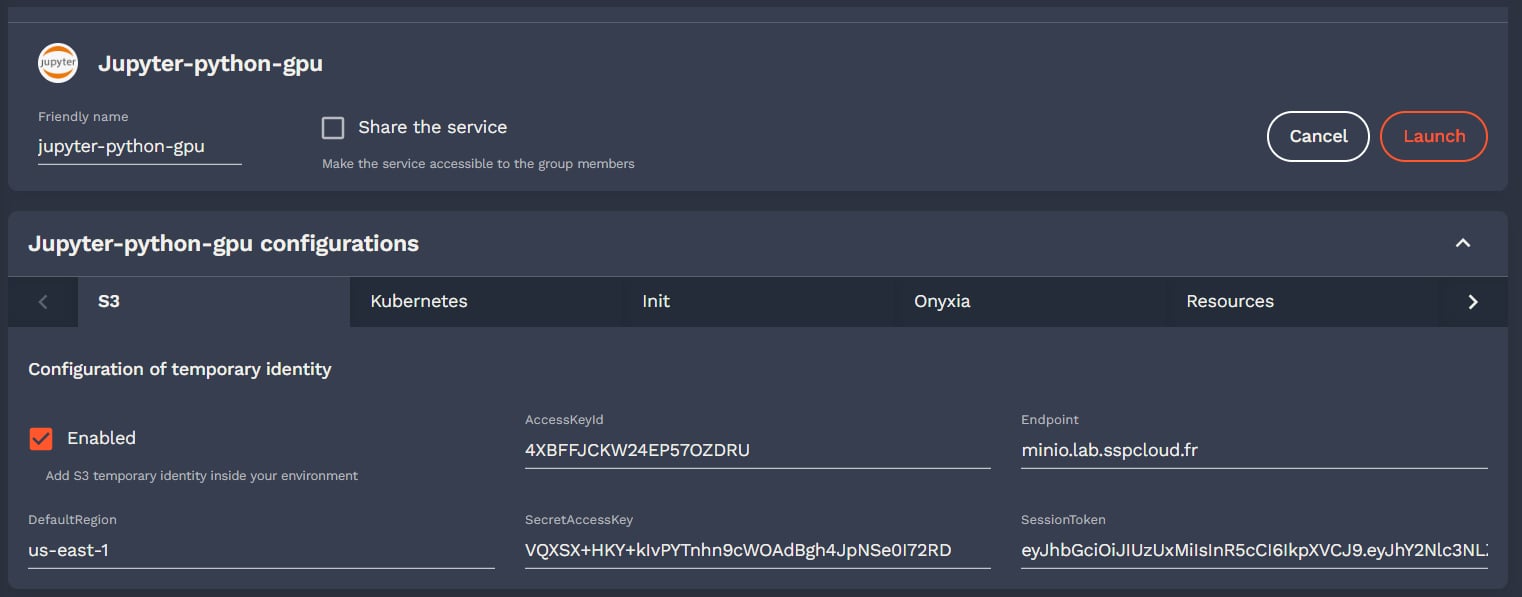
    Note the "git.name", "git.email" and "git.token", this enables to pre fill the fields.

    If the user took the time to fill its profile information, knows what is the Git username, email and personal access token of the user.

    is defined the structure of the context that you can use in the overwriteDefaultWith field:

    You can also concatenate string values using by wrapping the XOnyxia targeted values in {{}}.

    hashtag
    [x-onyxia] overwriteListEnumWith

    This is an option for customizing the options of the forms fields rendered as select.

    In your values shema such a field would be defined like:

    But what if you want to dynamically generate the option? For this you can use the overwriteListEnumWith x-onyxia option. For example if you need to let the user select one of the groups he belongs to you can write:

    hashtag
    [x-onyxia] overwriteSchemaWith

    Certain elements of a Helm chart should be customized for each instance of Onyxia, such as resource requests and limits, node selectors and tolerations. For this purpose, chart developers can use x-onyxia.overwriteSchemaWith to allow administrators to override specific parts of the schema. Our default charts use this specification.

    You can see the list of default schemas included in the Onyxia API. We also provide examples demonstrating how you .

    The following node selector schema provided by Onyxia API is a generic definition, which may not provide the best experience for a specific Kubernetes cluster in Onyxia.

    As an administrator of Onyxia, you can provide your own schemas to refine and restrict the initial schemas provided in the Helm chart.

    hashtag
    node selectors

    You can provide this schema to allow your users to choose between SSD or HDD disk types, and A2 or H100 NVIDIA GPUs. Any other values or labels are disallowed, and Onyxia will reject starting a service that does not comply with the provided schema.

    hashtag
    rolebindings for IDE pods

    This is the default role for IDE pods in our charts. It is very permissive, and you may want to restrict it to view-only access.

    Here is the refined version

    hashtag
    resources for IDE

    You may want to modify the slide bar for resources

    hashtag
    How to overwrite a schema or create a new one ?

    You can directly create file in the values of onyxia helm charts

    GitHub - garronej/tss-react: ✨ Dynamic CSS-in-TS solution, based on EmotionGitHubchevron-right
    this other instancearrow-up-right
    helm-charts-sillarrow-up-right
    See filearrow-up-right
    the service configuration steparrow-up-right
    onyxia-webarrow-up-right
    onyxia-webarrow-up-right
    Herearrow-up-right
    herearrow-up-right
    can customize your services using our interactive services charts with the provided schemasarrow-up-right
    https://sill-demo.etalab.gouv.fr/catalog
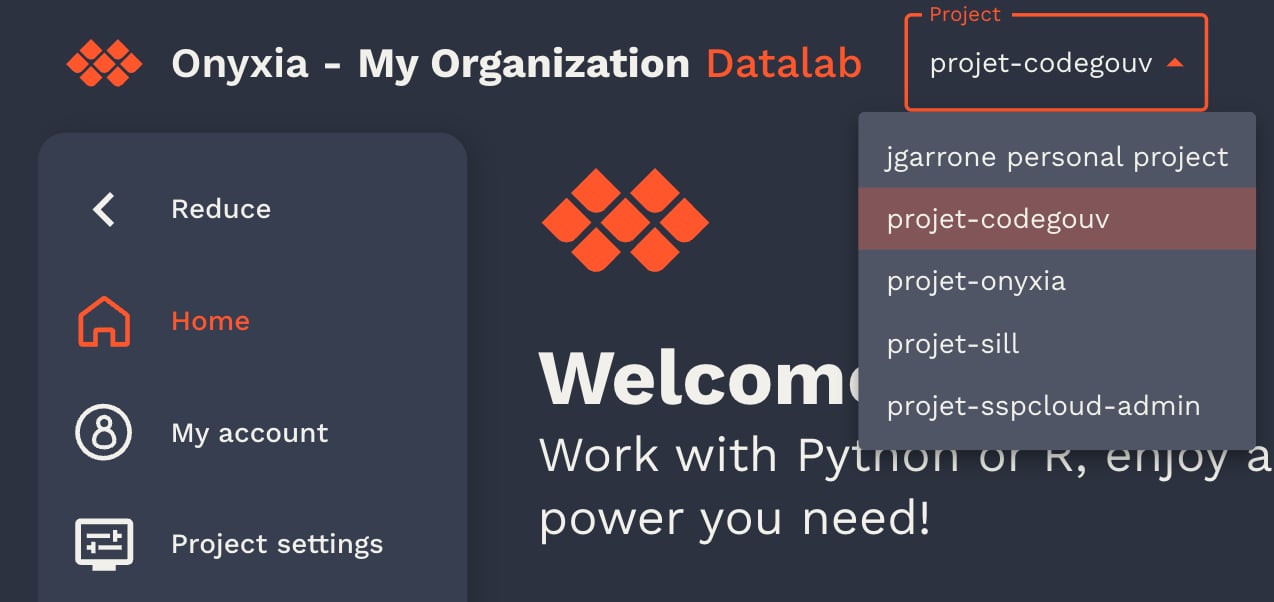
    https://helm.sh/docs/topics/charts/#the-chart-file-structure
    The onyxia user profile
    Example of select form field in the onyxia launcher
    onyxia/values.yaml
    onyxia:
      web:
        # ...
      api:
        # ...
        catalogs: [
          {
            type: "helm",
            id: "aerospace",
            # The url of the Helm chart repository
            location: "https://myorg.github.io/helm-charts-aerospace/",
            # Display under the search bar as selection tab:
            # https://github.com/InseeFrLab/onyxia/assets/6702424/a7247c7d-b0be-48db-893b-20c9352fdb94
            name: { 
              en: "Aerospace services",
              fr: "Services aérospatiaux"
              # ... other languages your instance supports
            },
            # Optional. Defines the chart that should appear first
            highlightedCharts: ["jupyter-artemis", "rstudio-dragonfly"],
            # Optional. Defines the chart that should be excluded
            excludedCharts: ["a-vendor-locking-chart"],
            # Optional, If defined, displayed in the header of the catalog page:
            # https://github.com/InseeFrLab/onyxia/assets/6702424/57e32f44-b889-41b2-b0c7-727c35b07650
            # Is rendered as Markdown
            description: { 
              en: "A catalog of services for aerospace engineers",
              fr: "Un catalogue de services pour les ingénieurs aérospatiaux"
              # ...
            },
            # Can be "PROD" or "TEST". If test the catalogs will be accessible if you type the url in the search bar
            # but you won't have a tab to select it.
            status": "PROD",
            # Optional. If true the certificate verification for `${location}/index.yaml` will be skipped.
            skipTlsVerify: false,
            # Optional. certificate authority file to use for the TLS verification
            caFile: "/path/to/ca.crt",
            # Optional: Enables you to a specific group of users.
            # You can match any claim in the JWT token.  
            # If the claim's value is an array, it match if one of the value is the one you specified.
            # The match property can also be a regex.
            restrictions: [
              {
                userAttribute: {
                  key: "groups",
                  matches: "nasa-engineers"
                }
              }
            ]
          },
           # { ... } another catalog
        ]
    values.schema.json
    "git": {
        "description": "Git user configuration",
        "type": "object",
        "properties": {
            "enabled": {
                "type": "boolean",
                "description": "Add git config inside your environment",
                "default": true
            },
            "name": {
                "type": "string",
                "description": "user name for git",
                "default": "",
                "x-onyxia": {
                    "overwriteDefaultWith": "git.name"
                },
                "hidden": {
                    "value": false,
                    "path": "git/enabled"
                }
            },
            "email": {
                "type": "string",
                "description": "user email for git",
                "default": "",
                "x-onyxia": {
                    "overwriteDefaultWith": "git.email"
                },
                "hidden": {
                    "value": false,
                    "path": "git/enabled"
                }
            },
            "cache": {
                "type": "string",
                "description": "duration in seconds of the credentials cache duration",
                "default": "",
                "x-onyxia": {
                    "overwriteDefaultWith": "git.credentials_cache_duration"
                },
                "hidden": {
                    "value": false,
                    "path": "git/enabled"
                }
            },
            "token": {
                "type": "string",
                "description": "personal access token",
                "default": "",
                "x-onyxia": {
                    "overwriteDefaultWith": "git.token"
                },
                "hidden": {
                    "value": false,
                    "path": "git/enabled"
                }
            },
            "repository": {
                "type": "string",
                "description": "Repository url",
                "default": "",
                "hidden": {
                    "value": false,
                    "path": "git/enabled"
                }
            },
            "branch": {
                "type": "string",
                "description": "Brach automatically checkout",
                "default": "",
                "hidden": {
                    "value": "",
                    "path": "git/repository"
                }
            }
        }
    },
    export type XOnyxiaParams = {
        /**
         * This is where you can reference values from the onyxia context so that they
         * are dynamically injected by the Onyxia launcher.
         *
         * Examples:
         * "overwriteDefaultWith": "user.email" ( You can also write "{{user.email}}" it's equivalent )
         * "overwriteDefaultWith": "{{project.id}}-{{k8s.randomSubdomain}}.{{k8s.domain}}"
         * "overwriteDefaultWith": [ "a hardcoded value", "some other hardcoded value", "{{region.oauth2.clientId}}" ]
         * "overwriteDefaultWith": { "foo": "bar", "bar": "{{region.oauth2.clientId}}" }
         *
         */
        overwriteDefaultWith?:
            | string
            | number
            | boolean
            | unknown[]
            | Record<string, unknown>;
        overwriteListEnumWith?: unknown[] | string;
        hidden?: boolean;
        readonly?: boolean;
        useRegionSliderConfig?: string;
    };
    
    export type XOnyxiaContext = {
        user: {
            idep: string;
            name: string;
            email: string;
            password: string;
            ip: string;
            darkMode: boolean;
            lang: "en" | "fr" | "zh-CN" | "no" | "fi" | "nl" | "it" | "es" | "de";
            /**
             * Decoded JWT OIDC ID token of the user launching the service.
             *
             * Sample value:
             * {
             *   "sub": "9000ffa3-5fb8-45b5-88e4-e2e869ba3cfa",
             *   "name": "Joseph Garrone",
             *   "aud": ["onyxia", "minio-datanode"],
             *   "groups": [
             *       "USER_ONYXIA",
             *       "codegouv",
             *       "onyxia",
             *       "sspcloud-admin",
             *   ],
             *   "preferred_username": "jgarrone",
             *   "given_name": "Joseph",
             *   "locale": "en",
             *   "family_name": "Garrone",
             *   "email": "[email protected]",
             *   "policy": "stsonly",
             *   "typ": "ID",
             *   "azp": "onyxia",
             *   "email_verified": true,
             *   "realm_access": {
             *       "roles": ["offline_access", "uma_authorization", "default-roles-sspcloud"]
             *   }
             * }
             */
            decodedIdToken: Record<string, unknown>;
            accessToken: string;
            refreshToken: string;
        };
        service: {
            oneTimePassword: string;
        };
        project: {
            id: string;
            password: string;
            basic: string;
        };
        git: {
            name: string;
            email: string;
            credentials_cache_duration: number;
            token: string | undefined;
        };
        vault: {
            VAULT_ADDR: string;
            VAULT_TOKEN: string;
            VAULT_MOUNT: string;
            VAULT_TOP_DIR: string;
        };
        s3: {
            AWS_ACCESS_KEY_ID: string;
            AWS_SECRET_ACCESS_KEY: string;
            AWS_SESSION_TOKEN: string;
            AWS_DEFAULT_REGION: string;
            AWS_S3_ENDPOINT: string;
            AWS_BUCKET_NAME: string;
            port: number;
            pathStyleAccess: boolean;
            /**
             * The user is assumed to have read/write access on every
             * object starting with this prefix on the bucket
             **/
            objectNamePrefix: string;
            /**
             * Only for making it easier for charts editors.
             * <AWS_BUCKET_NAME>/<objectNamePrefix>
             * */
            workingDirectoryPath: string;
            /**
             * If true the bucket's (directory) should be accessible without any credentials.
             * In this case s3.AWS_ACCESS_KEY_ID, s3.AWS_SECRET_ACCESS_KEY and s3.AWS_SESSION_TOKEN
             * will be empty strings.
             */
            isAnonymous: boolean;
        };
        region: {
            defaultIpProtection: boolean | undefined;
            defaultNetworkPolicy: boolean | undefined;
            allowedURIPattern: string;
            customValues: Record<string, unknown> | undefined;
            kafka:
                | {
                      url: string;
                      topicName: string;
                  }
                | undefined;
            tolerations: unknown[] | undefined;
            from: unknown[] | undefined;
            nodeSelector: Record<string, unknown> | undefined;
            startupProbe: Record<string, unknown> | undefined;
            sliders: Record<
                string,
                {
                    sliderMin: number;
                    sliderMax: number;
                    sliderStep: number;
                    sliderUnit: string;
                }
            >;
            resources:
                | {
                      cpuRequest?: `${number}${string}`;
                      cpuLimit?: `${number}${string}`;
                      memoryRequest?: `${number}${string}`;
                      memoryLimit?: `${number}${string}`;
                      disk?: `${number}${string}`;
                      gpu?: `${number}`;
                  }
                | undefined;
        };
        k8s: {
            domain: string;
            ingressClassName: string | undefined;
            ingress: boolean | undefined;
            route: boolean | undefined;
            istio:
                | {
                      enabled: boolean;
                      gateways: string[];
                  }
                | undefined;
            randomSubdomain: string;
            initScriptUrl: string;
            useCertManager: boolean;
            certManagerClusterIssuer: string | undefined;
        };
        proxyInjection:
            | {
                  enabled: string | undefined;
                  httpProxyUrl: string | undefined;
                  httpsProxyUrl: string | undefined;
                  noProxy: string | undefined;
              }
            | undefined;
        packageRepositoryInjection:
            | {
                  cranProxyUrl: string | undefined;
                  condaProxyUrl: string | undefined;
                  packageManagerUrl: string | undefined;
                  pypiProxyUrl: string | undefined;
              }
            | undefined;
        certificateAuthorityInjection:
            | {
                  cacerts: string | undefined;
                  pathToCaBundle: string | undefined;
              }
            | undefined;
    };
    values.shema.json
    "hostname": {
      "type": "string",
      "form": true,
      "title": "Hostname",
      "x-onyxia": {
        "overwriteDefaultWith": "{{project.id}}-{{k8s.randomSubdomain}}.{{k8s.domain}}"
      }
    }
    values.shema.json
    "pullPolicy": {
        "type": "string",
        "default": "IfNotPresent",
        "listEnum": [
            "IfNotPresent",
            "Always",
            "Never"
        ]
    }
    values.schema.json
    "group": {
      "type": "string",
      "default": "",
      "listEnum": [""],
      "x-onyxia": {
        "overwriteDefaultWith": "user.decodedIdToken.groups[0]",
        "overwriteListEnumWith": "user.decodedIdToken.groups"
      }
    }
    values.shema.json
    "nodeSelector": {
        "type": "object",
        "description": "NodeSelector",
        "default": {},
        "x-onyxia": {
            "overwriteSchemaWith": "nodeSelector.json"
        }
    }
    nodeSelector.json
    {
        "$schema": "http://json-schema.org/draft-07/schema#",
        "title": "Node Selector",
        "type": "object",
        "description": "Node selector constraints for the pod",
        "additionalProperties": {
          "type": "string",
          "description": "Key-value pairs to select nodes"
        }
    }
    nodeSelector.json
    {
      "$schema": "http://json-schema.org/draft-07/schema#",
      "title": "Node Selector",
      "type": "object",
      "properties": {
        "disktype": {
          "description": "The type of disk",
          "type": "string",
          "enum": ["ssd", "hdd"]
        },
        "gpu": {
          "description": "The type of GPU",
          "type": "string",
          "enum": ["A2", "H100"]
        }
      },
      "additionalProperties": false //any other label is disallowed
    }
    ide/role.json
    {
        "$schema": "http://json-schema.org/draft-07/schema#",
        "title": "Role",
        "type": "object",
        "properties": {
            "enabled": {
                "type": "boolean",
                "description": "allow your service to access your namespace ressources",
                "default": true
            },
            "role": {
                "type": "string",
                "description": "bind your service account to this kubernetes default role",
                "default": "view",
                "enum": [
                    "view",
                    "edit",
                    "admin"
                ]
            }
        }
    }
    
    ide/role.json
    {
      "$schema": "http://json-schema.org/draft-07/schema#",
      "title": "Role",
      "type": "object",
      "properties": {
        "enabled": {
          "type": "boolean",
          "const": true,
          "description": "This value must always be true, allowing your service to access your namespace resources."
        },
        "role": {
          "type": "string",
          "const": "view",
          "description": "This value must always be 'view', binding your service account to this Kubernetes default role.",
        }
      }
    }
    
    ide/resources.json
    {
        "$schema": "http://json-schema.org/draft-07/schema#",
        "title": "Resources",
        "description": "Your service will have at least the requested resources and never more than its limits. No limit for a resource and you can consume everything left on the host machine.",
        "type": "object",
        "properties": {
            "requests": {
                "description": "Guaranteed resources",
                "type": "object",
                "properties": {
                    "cpu": {
                        "description": "The amount of cpu guaranteed",
                        "title": "CPU",
                        "type": "string",
                        "default": "100m",
                        "render": "slider",
                        "sliderMin": 50,
                        "sliderMax": 40000,
                        "sliderStep": 50,
                        "sliderUnit": "m",
                        "sliderExtremity": "down",
                        "sliderExtremitySemantic": "guaranteed",
                        "sliderRangeId": "cpu"
                    },
                    "memory": {
                        "description": "The amount of memory guaranteed",
                        "title": "memory",
                        "type": "string",
                        "default": "2Gi",
                        "render": "slider",
                        "sliderMin": 1,
                        "sliderMax": 200,
                        "sliderStep": 1,
                        "sliderUnit": "Gi",
                        "sliderExtremity": "down",
                        "sliderExtremitySemantic": "guaranteed",
                        "sliderRangeId": "memory"
                    }
                }
            },
            "limits": {
                "description": "max resources",
                "type": "object",
                "properties": {
                    "cpu": {
                        "description": "The maximum amount of cpu",
                        "title": "CPU",
                        "type": "string",
                        "default": "30000m",
                        "render": "slider",
                        "sliderMin": 50,
                        "sliderMax": 40000,
                        "sliderStep": 50,
                        "sliderUnit": "m",
                        "sliderExtremity": "up",
                        "sliderExtremitySemantic": "Maximum",
                        "sliderRangeId": "cpu"
                    },
                    "memory": {
                        "description": "The maximum amount of memory",
                        "title": "Memory",
                        "type": "string",
                        "default": "50Gi",
                        "render": "slider",
                        "sliderMin": 1,
                        "sliderMax": 200,
                        "sliderStep": 1,
                        "sliderUnit": "Gi",
                        "sliderExtremity": "up",
                        "sliderExtremitySemantic": "Maximum",
                        "sliderRangeId": "memory"
                    }
                }
            }
        }
    }
    
    ide/resources.json
    {
        "$schema": "http://json-schema.org/draft-07/schema#",
        "title": "Resources",
        "description": "Your service will have at least the requested resources and never more than its limits. No limit for a resource and you can consume everything left on the host machine.",
        "type": "object",
        "properties": {
            "requests": {
                "description": "Guaranteed resources",
                "type": "object",
                "properties": {
                    "cpu": {
                        "description": "The amount of cpu guaranteed",
                        "title": "CPU",
                        "type": "string",
                        "default": "100m",
                        "render": "slider",
                        "sliderMin": 50,
                        "sliderMax": 10000,
                        "sliderStep": 50,
                        "sliderUnit": "m",
                        "sliderExtremity": "down",
                        "sliderExtremitySemantic": "guaranteed",
                        "sliderRangeId": "cpu"
                    },
                    "memory": {
                        "description": "The amount of memory guaranteed",
                        "title": "memory",
                        "type": "string",
                        "default": "2Gi",
                        "render": "slider",
                        "sliderMin": 1,
                        "sliderMax": 200,
                        "sliderStep": 1,
                        "sliderUnit": "Gi",
                        "sliderExtremity": "down",
                        "sliderExtremitySemantic": "guaranteed",
                        "sliderRangeId": "memory"
                    }
                }
            },
            "limits": {
                "description": "max resources",
                "type": "object",
                "properties": {
                    "cpu": {
                        "description": "The maximum amount of cpu",
                        "title": "CPU",
                        "type": "string",
                        "default": "5000m",
                        "render": "slider",
                        "sliderMin": 50,
                        "sliderMax": 10000,
                        "sliderStep": 50,
                        "sliderUnit": "m",
                        "sliderExtremity": "up",
                        "sliderExtremitySemantic": "Maximum",
                        "sliderRangeId": "cpu"
                    },
                    "memory": {
                        "description": "The maximum amount of memory",
                        "title": "Memory",
                        "type": "string",
                        "default": "50Gi",
                        "render": "slider",
                        "sliderMin": 1,
                        "sliderMax": 200,
                        "sliderStep": 1,
                        "sliderUnit": "Gi",
                        "sliderExtremity": "up",
                        "sliderExtremitySemantic": "Maximum",
                        "sliderRangeId": "memory"
                    }
                }
            }
        }
    }
    onyxia-values.yaml
    onyxia:
      web:
        # ...
      api:
        # ...
        schemas:
          enabled: true
          files:
            - relativePath: ide/resources.json
              content: |
                {
                    "$schema": "http://json-schema.org/draft-07/schema#",
                    "title": "Resources",
                    "description": "Your service will have at least the requested resources and never more than its limits. No limit for a resource and you can consume everything left on the host machine.",
                    "type": "object",
                    "properties": {
                        "requests": {
                            "description": "Guaranteed resources",
                            "type": "object",
                            "properties": {
                                "cpu": {
                                    "description": "The amount of cpu guaranteed",
                                    "title": "CPU",
                                    "type": "string",
                                    "default": "100m",
                                    "render": "slider",
                                    "sliderMin": 50,
                                    "sliderMax": 10000,
                                    "sliderStep": 50,
                                    "sliderUnit": "m",
                                    "sliderExtremity": "down",
                                    "sliderExtremitySemantic": "guaranteed",
                                    "sliderRangeId": "cpu"
                                },
                                "memory": {
                                    "description": "The amount of memory guaranteed",
                                    "title": "memory",
                                    "type": "string",
                                    "default": "2Gi",
                                    "render": "slider",
                                    "sliderMin": 1,
                                    "sliderMax": 200,
                                    "sliderStep": 1,
                                    "sliderUnit": "Gi",
                                    "sliderExtremity": "down",
                                    "sliderExtremitySemantic": "guaranteed",
                                    "sliderRangeId": "memory"
                                }
                            }
                        },
                        "limits": {
                            "description": "max resources",
                            "type": "object",
                            "properties": {
                                "cpu": {
                                    "description": "The maximum amount of cpu",
                                    "title": "CPU",
                                    "type": "string",
                                    "default": "5000m",
                                    "render": "slider",
                                    "sliderMin": 50,
                                    "sliderMax": 10000,
                                    "sliderStep": 50,
                                    "sliderUnit": "m",
                                    "sliderExtremity": "up",
                                    "sliderExtremitySemantic": "Maximum",
                                    "sliderRangeId": "cpu"
                                },
                                "memory": {
                                    "description": "The maximum amount of memory",
                                    "title": "Memory",
                                    "type": "string",
                                    "default": "50Gi",
                                    "render": "slider",
                                    "sliderMin": 1,
                                    "sliderMax": 200,
                                    "sliderStep": 1,
                                    "sliderUnit": "Gi",
                                    "sliderExtremity": "up",
                                    "sliderExtremitySemantic": "Maximum",
                                    "sliderRangeId": "memory"
                                }
                            }
                        }
                    }
                }
            - relativePath: nodeSelector.json
              content: |
                {
                  "$schema": "http://json-schema.org/draft-07/schema#",
                  "title": "Node Selector",
                  "type": "object",
                  "properties": {
                    "disktype": {
                      "description": "The type of disk",
                      "type": "string",
                      "enum": ["ssd", "hdd"]
                    },
                    "gpu": {
                      "description": "The type of GPU",
                      "type": "string",
                      "enum": ["A2", "H100"]
                    }
                  },
                  "additionalProperties": false
                }
            - relativePath: ide/role.json
              content: |
                {
                  "$schema": "http://json-schema.org/draft-07/schema#",
                  "title": "Role",
                  "type": "object",
                  "properties": {
                      "enabled": {
                          "type": "boolean",
                          "description": "allow your service to access your namespace ressources",
                          "default": true
                      },
                      "role": {
                          "type": "string",
                          "description": "bind your service account to this kubernetes default role",
                          "default": "view",
                          "hidden": {
                              "value": false,
                              "path": "kubernetes/enabled"
                          },
                          "enum": [
                              "view"
                          ]
                      }
                  }
                }
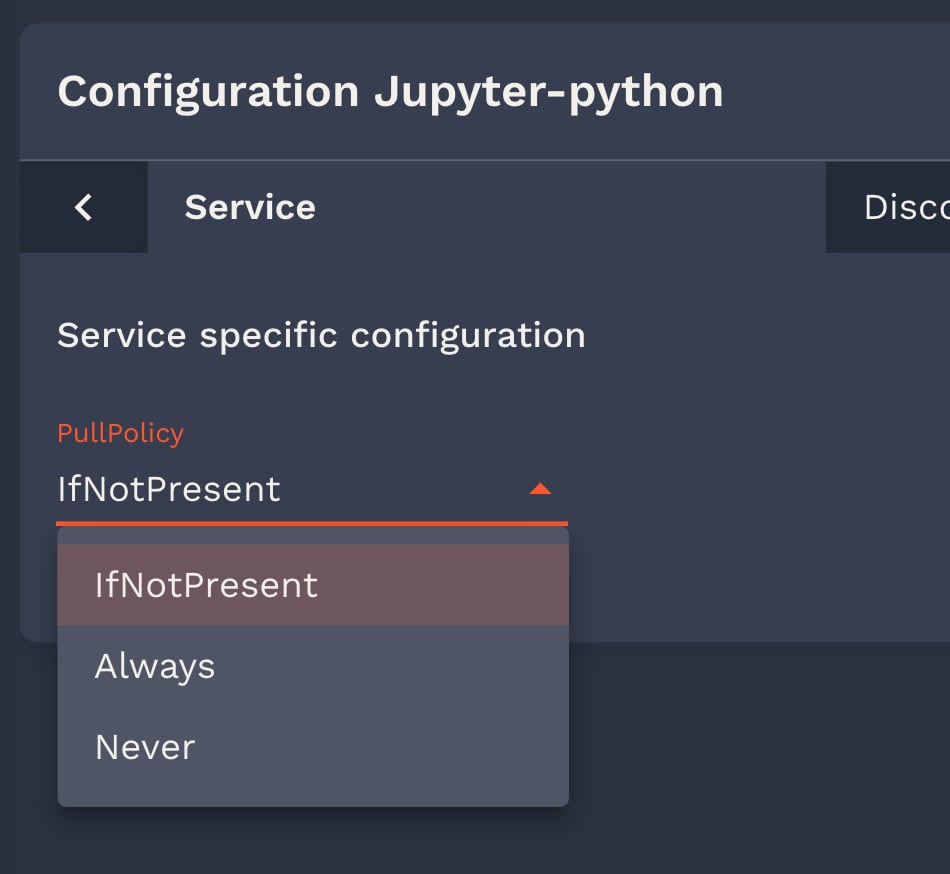
    https://datalab.sspcloud.fr/catalogarrow-up-right
    Logo
    Logo
    Logo
    Logo
    Logo
    Logo
    Logo
    Vitevitejschevron-right
    Logo
    Logo
    Logo
    Logo
    Logo
    Logo
    Logo
    Logo
    GitHub - InseeFrLab/helm-charts-automationGitHubchevron-right
    Logo
    Logo
    Logo